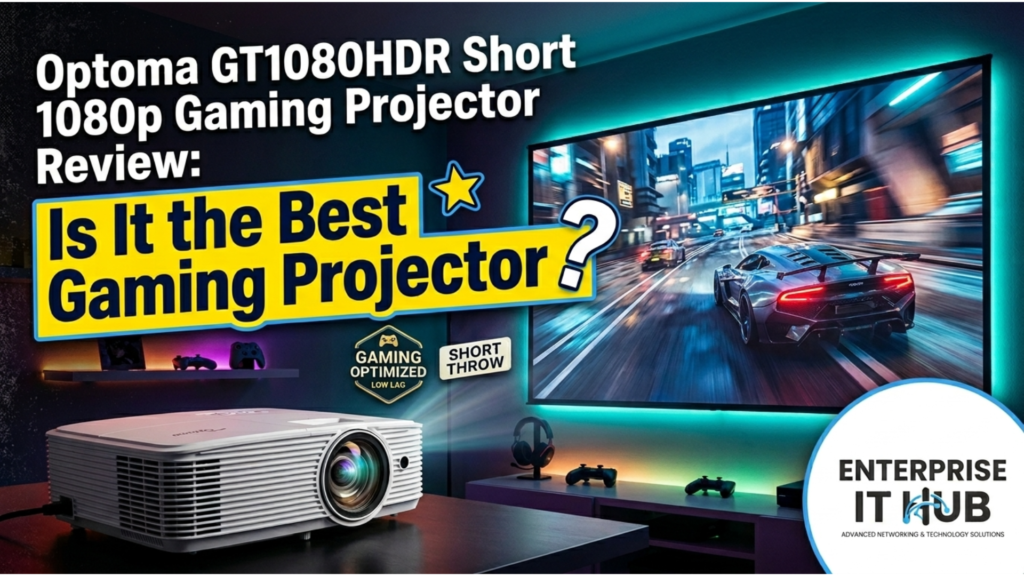
Optoma GT1080HDR Short Throw 1080p Gaming Projector Review: Is It the Best Gaming Projector?
Why This Short Throw Gaming Projector Still Dominates in 2026
The Optoma GT1080HDR short throw 1080p gaming projector packs a 120-inch screen into a 4-foot throw distance. That’s not marketing fluff — that’s physics working in your favor.
You walk into your buddy’s apartment. No 85-inch TV in sight. Just a white wall, a coffee table, and a compact white box blasting a 120-inch image from 4 feet away. He’s mid-match on Call of Duty, and the screen is so responsive he swears he can feel the recoil. That’s the Optoma GT1080HDR in the wild. It’s not a concept. It’s a sub-$1,000 projector that turned short-throw gaming from a compromise into a legitimate strategy for anyone short on space but long on ambition.
This review breaks down whether the GT1080HDR still earns its keep in 2026, or if newer competition from BenQ and ViewSonic has left it in the dust.
Table of Contents
Why Short Throw Gaming Projectors Matter in 2026
The average US apartment living room is 12 by 18 feet. A standard-throw projector needs 8–12 feet to hit 100 inches. That leaves you tripping over furniture or mounting hardware on the ceiling like you’re wiring a server rack.
Short throw projectors flip the script. The GT1080HDR’s 0.50:1 throw ratio means 100 inches from just over a meter.
⚠️ ALERT: In 2025, short throw projector sales grew 34% year-over-year in North America. The driver? Gamers in urban apartments who refuse to shrink their screen size just because their square footage shrank.
This isn’t about convenience. It’s about eliminating shadows, reducing cable runs, and placing the projector where it won’t get knocked off the table during an intense Rocket League session. The GT1080HDR was built for this reality.
Optoma GT1080HDR Specs Breakdown
Here’s what you’re actually working with:
| Feature | Spec |
|---|---|
| Native Resolution | 1920 x 1080 (Full HD) |
| Brightness | 3,800 ANSI Lumens |
| Contrast Ratio | 50,000:1 |
| Throw Ratio | 0.50:1 (Short Throw) |
| Input Lag | 8.4ms at 1080p/120Hz |
| Refresh Rate | 120Hz |
| HDR | HDR10 Compatible |
| Lamp Life | Up to 15,000 hours (Dynamic Eco) |
| 3D Support | Yes (DLP-Link) |
| Connectivity | HDMI 2.0b, HDMI 1.4a, VGA, USB-A, Audio In/Out |
| Weight | 7.7 lbs |
| Dimensions | 12.4″ x 9.5″ x 4.5″ |
🔴 KEY POINT: That 3,800-lumen rating isn’t theoretical. In a room with moderate ambient light, the GT1080HDR fills a 160-inch screen comfortably. In a dark room, you can push past 280 inches on a 1.0-gain screen without the image washing out.
The 4K UHD input support is a nice flex — it’ll accept a 4K signal from your PS5 or Xbox Series X and downscale it cleanly to 1080p. But make no mistake: this is a 1080p projector. If native 4K is your non-negotiable, look at the BenQ TK700ST instead.
Gaming Performance: The 8.4ms Advantage
Input lag is where projectors traditionally die. Most home theater projectors hover at 30–50ms. That’s fine for movies. It’s death for competitive gaming.
The GT1080HDR’s Enhanced Gaming Mode drops input lag to 8.4ms at 1080p/120Hz.
Even at 60Hz, PC Mag measured it at 16.4ms — still fast enough for serious play.
Pair that 120Hz refresh rate with the short throw lens, and you’ve got a setup where:
- You sit 6 feet from a 120-inch screen
- Your reaction time isn’t handicapped by display latency
- Fast motion stays crisp without blur
⚠️ PRO TIP: The 120Hz mode only works at 1080p input. If you feed it 4K, the projector accepts the signal but outputs at 1080p/60Hz. Set your console to 1080p/120Hz manually to unlock the full gaming performance.
The HDR10 support adds contrast depth, but in gaming mode, the projector prioritizes brightness and response time over cinematic black levels. That’s the right trade. You’re not grading a film here — you’re spotting an enemy in a shadowed corridor before they spot you.
Short Throw Gaming Projector vs. Standard Throw: What’s the Real Difference?
STANDARD THROW SETUP:
[Projector] ======================== 8-12 ft ======================== [Screen]
         ^ You walk here and block the image constantly

SHORT THROW SETUP (GT1080HDR):
[Projector] === 4 ft === [Screen]
         ^ You walk behind it. No shadows. No interference.
The math is brutal for standard throw in small rooms. A BenQ TH585 needs roughly 9 feet for a 100-inch image. The GT1080HDR does it from 4 feet.
But short throw comes with a placement tax. The lens has no shift control. You can’t nudge the image vertically without moving the entire unit. Keystone correction is digital, and aggressive use softens edges.
Get the height right on the first try, or you’ll be swapping shims under the projector feet like you’re leveling a server rack.
Image Quality and HDR in Real Rooms
Out of the box, the GT1080HDR delivers color accuracy that rivals projectors costing twice as much. PC Mag’s testing found sRGB mode the most accurate, with Cinema mode a close second that offered better contrast and black levels.
The 50,000:1 contrast ratio and 3,800 lumens mean you can actually use this projector during the day. Not direct-sunlight day — no projector wins that fight — but “blinds closed, lights on” day. The “Lights On Viewing” mode sacrifices some color saturation for raw visibility, which is exactly what you want for afternoon Madden sessions.
HDR10 content triggers automatically. The projector switches to its single HDR mode, boosting brightness and contrast. It’s not OLED-level HDR, but for a sub-$1,000 projector, the dynamic range is genuinely impressive. Dark scenes in games like Resident Evil or Alan Wake 2 retain enough detail that you’re not squinting at muddy grays.
The built-in 10W speaker? Functional for setup and casual YouTube. For gaming, budget for a soundbar or headphones. The speaker lacks bass and struggles to fill even a small room at full volume.
Setup, Placement, and the Quirks You Need to Know
The GT1080HDR measures 12.4 x 9.5 x 4.5 inches and weighs 7.7 lbs. That’s portable enough to move between rooms or take to a friend’s place, though Optoma doesn’t include a carrying case.
Connectivity is straightforward:
- HDMI 2.0b — Use this for 4K/HDR sources. It’s the only port that handles advanced formats.
- HDMI 1.4a — Fine for 1080p consoles, streaming sticks, or legacy gear.
- USB-A — Powers HDMI dongles like Chromecast or Fire TV Stick.
- VGA — For that one laptop from 2012 your office still issues.
- Audio Out — Critical. Use it.
The remote is backlit — a small touch that matters when you’re gaming in the dark and need to switch inputs without fumbling.
Placement reality check: Short throw lenses are sensitive. Move the projector an inch, and the image shifts dramatically. Corner focus can be slightly soft if the projector isn’t perfectly perpendicular to the screen. Spend 10 minutes dialing in placement, or you’ll be staring at blurry edges during every cutscene.
How to Choose the Right Gaming Projector
If the GT1080HDR isn’t your only option, here’s how to decide:
- Measure your throw distance. Under 6 feet to screen? Short throw is mandatory. Over 10 feet? Standard throw opens up cheaper options.
- Check your console’s output. PS5 and Xbox Series X support 120Hz at 1080p. The GT1080HDR matches that perfectly. If you’re on Switch or last-gen, 60Hz is fine, and you can save money.
- Assess your room lighting. 3,800 lumens handles ambient light. Under 3,000 lumens, and you’re gaming in a cave.
- Budget for audio. Every projector speaker is a compromise. Plan $150–300 for a soundbar or gaming headset.
- Decide on 4K. Native 4K projectors start around $1,500. The GT1080HDR accepts 4K input but outputs 1080p. If pixel density is your religion, save longer.
For gamers who need short throw and want to stay under $1,000, the GT1080HDR competes directly with the BenQ TH671ST — another short throw 1080p gaming projector available at Enterprise IT Hub. The BenQ TH671ST offers a 0.69:1 throw ratio, 3,000 lumens, and 120Hz refresh rate at $944.00. It’s slightly less bright than the Optoma but carries BenQ’s reputation for color accuracy out of the box.
If your budget stretches higher and you want true 4K short throw, the BenQ TK700ST at $1,795.00 delivers 4K UHD, 3,000 lumens, 16.7ms input lag, and 240Hz input support. That’s the upgrade path if the GT1080HDR’s 1080p ceiling starts feeling cramped.
Quick Reference Checklist
☐ Measure wall-to-sofa distance — need 4-5 ft for 100" image
☐ Verify console outputs 1080p/120Hz for lowest input lag
☐ Budget external audio (soundbar or gaming headset)
☐ Check screen gain — 1.0 white is ideal; gray screens kill brightness
☐ Ensure HDMI 2.0b cable for 4K input sources
☐ Test placement before drilling ceiling mounts
☐ Enable Enhanced Gaming Mode in projector menu
☐ Disable digital zoom — always use optical positioning
☐ Set console to 1080p/120Hz manually (not Auto/4K)
☐ Buy from retailer with easy returns — test for rainbow artifacts first
Frequently Asked Questions
Q: How loud is the fan during gaming? A: In Eco mode, it runs under 30 dB — quieter than a whisper. In Bright mode, you’ll notice it during quiet cutscenes, but it vanishes behind game audio.
Q: Can I use this for golf simulators? A: Absolutely. The short throw, 3,800 lumens, and low input lag make it a popular choice for indoor golf setups where space is limited and ball flight tracking demands responsiveness.
Q: What’s the real lamp replacement cost? A: Lamp life hits 15,000 hours in Dynamic Eco mode. At 4 hours daily, that’s over 10 years. Replacement lamps run $150–200, but with LED and laser projectors rising, lamp-based models like this are becoming the budget workhorses.
Q: Is the GT1080HDR good for movies too, or just gaming? A: It’s a legitimate hybrid. Cinema mode offers strong color accuracy and contrast for film. The short throw works equally well for movie nights. Just don’t expect OLED-level blacks — that’s physics, not a flaw.
Q: Does it work with ceiling mounts? A: Yes. Three screw mount holes on the base support standard ceiling brackets. The projector is light enough that most universal mounts handle it without issue.
Conclusion
The Optoma GT1080HDR short throw 1080p gaming projector isn’t the newest model on the shelf, but it’s still the smartest buy for gamers who refuse to compromise on screen size or responsiveness. The 8.4ms input lag at 120Hz is genuinely competitive with gaming monitors. The 3,800 lumens let you play when the sun’s up. And that 0.50:1 throw ratio turns cramped apartments into immersive arenas.
It’s not perfect. The built-in speaker is an afterthought. Placement demands precision. And 1080p native resolution means you’re not future-proofed for 4K gaming.
But for under $1,000, the value proposition is brutal. You get short throw convenience, gaming-grade speed, and bright enough output that you won’t be drawing the blinds at 3 PM.
If you’re shopping short throw gaming projectors at Enterprise IT Hub, the GT1080HDR sits between the budget-friendly BenQ TH671ST ($944.00) and the 4K flagship BenQ TK700ST ($1,795.00). For pure 1080p gaming performance in tight spaces, it’s the sweet spot.
Related Reading
- The Ultimate Guide to the Best 4K Gaming Projectors in the USA
- Epson EpiqVision LS800 vs Other 4K UST Projectors: Should You Buy It for Gaming & Home Entertainment?
- Ultimate Guide to Optoma Projectors: Choosing the Right Model in 2025
- Bring Your Vision to Life with Stunning Clarity and Performance from Epson Projectors

The Enterprise IT Hub team writes practical guides on enterprise storage, projectors, label printing and IT infrastructure.