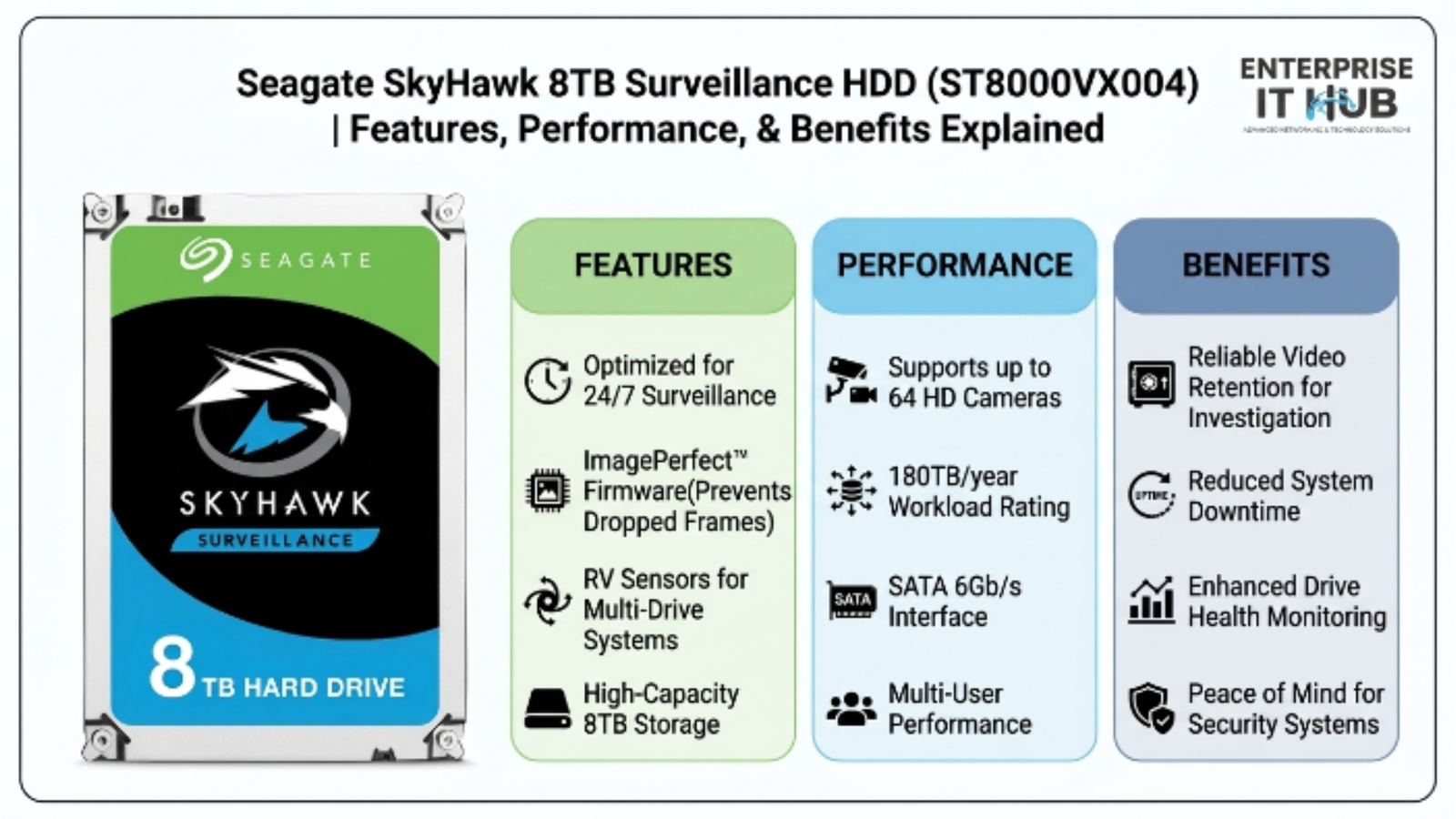
Seagate SkyHawk 8TB Surveillance HDD ST8000VX004 Features, Performance, and Benefits Explained
The Surveillance Drive That Never Sleeps
The Surveillance HDD category has one clear standout — and the Seagate SkyHawk 8TB ST8000VX004 makes every competitor look like it’s cutting corners.
Your security system is only as good as the drive behind it. You’ve invested thousands in cameras, cabling, and NVR hardware — then some IT manager slaps a desktop HDD inside the recorder to save $80. Six weeks later, the drive fails during a critical incident. The footage is gone. That scenario plays out in businesses across the US every single day.
The Seagate SkyHawk 8TB Surveillance HDD was engineered specifically to prevent that from happening. Built for 24/7 write loads, optimized for multi-camera streams, and backed by ImagePerfect firmware, it’s the kind of drive that earns its place in serious security infrastructure. Let’s break down exactly what makes it tick.
Table of Contents
Why Surveillance HDD Technology Matters in 2026
Security camera deployments are growing fast. In 2025, the global IP camera market surpassed $20 billion, and enterprise and SMB installations are averaging 16–64 cameras per location. That’s a massive amount of continuous write data hitting storage systems day and night.
Standard desktop drives were never built for this workload. They’re designed for intermittent read/write tasks — spreadsheets, file transfers, OS loads. Throw 24/7 surveillance video at a BarraCuda and you’re asking it to do a job it wasn’t engineered for.
⚠️ ALERT: According to StorageReview, hard drives used outside their intended workload class experience up to 3× higher failure rates within 18 months. Using a desktop HDD in a surveillance rig isn’t just risky — it’s a liability. (opens in new tab)
Surveillance-specific drives like the SkyHawk 8TB address this head-on. They’re rated for Always-On Workloads (AoW), built with vibration compensation for multi-drive enclosures, and engineered to handle simultaneous high-definition video streams without frame drops or write errors.
The stakes are too high to cut corners. Whether you’re running retail surveillance, a warehouse security grid, or a multi-building campus system — the drive underneath your NVR matters more than most people realize.
What Is the Seagate SkyHawk 8TB Surveillance HDD ST8000VX004?
The ST8000VX004 is Seagate’s flagship surveillance-class hard drive in the SkyHawk lineup. It’s purpose-built for security camera systems — specifically designed for DVR and NVR environments that run non-stop.
Here’s the core spec sheet at a glance:
| Specification | Detail |
|---|---|
| Model Number | ST8000VX004 |
| Capacity | 8TB |
| Interface | SATA 6Gb/s |
| RPM | 7200 RPM |
| Cache | 256MB |
| Workload Rating | 180TB/year |
| Max Supported Cameras | Up to 64 HD streams |
| Power Draw (Active) | ~7W |
| Form Factor | 3.5-inch |
| Warranty | 3 years limited |
Seven years of continuous operation is Seagate’s internal design target for SkyHawk drives. That’s not marketing language — it’s backed by a 180TB/year workload rating, which is roughly 3× what a desktop drive is rated for.
The surveillance HDD segment used to be an afterthought for manufacturers. That changed as multi-channel HD recording became standard. Seagate responded with a dedicated product line, and the ST8000VX004 represents the highest-capacity option in the standard SkyHawk series.
Key Features of the SkyHawk Surveillance HDD
This is where the ST8000VX004 separates itself from the field. It’s not just about capacity — it’s about how the drive handles the specific stress profile of surveillance recording.
ImagePerfect Firmware
Standard HDD behavior during error recovery:
[Camera Stream] → [Write Error] → [HDD pauses to retry]
                                       ↓
                               [Frame drop / lag]
                               [NVR buffer overflow]

SkyHawk ImagePerfect behavior:
[Camera Stream] → [Write Error] → [Firmware skips, logs, continues]
                                       ↓
                               [Zero frame drops]
                               [Continuous recording maintained]
ImagePerfect firmware is Seagate’s answer to a problem that plagues desktop drives in surveillance setups: error recovery time. Standard HDDs pause the entire drive to retry a failed write. In a 32-camera system, that pause causes dropped frames, NVR buffer overflows, and potential recording gaps.
ImagePerfect bypasses extended error recovery for write operations, keeping the stream alive. The drive logs the error but doesn’t stop to fix it mid-stream. Result: uninterrupted footage, even under stress.
Rotational Vibration (RV) Compensation
🔴 KEY POINT: Vibration is the silent killer of drives in multi-bay NVR enclosures. When multiple drives spin simultaneously, they create harmonic vibrations that degrade read/write accuracy. The SkyHawk’s RV sensors actively detect and compensate for this — extending drive life in rack-mounted and tower NVR setups.
Up to 64 HD Camera Streams
The ST8000VX004 is validated to handle up to 64 simultaneous HD camera streams. That puts it in the same tier as enterprise-grade NVR storage — at a fraction of the price. For SMBs running 8–32 cameras, this drive has significant headroom to grow.
24/7 Operation Rating
Unlike desktop drives rated for ~2,400 hours/year of use, the SkyHawk is rated for 8,760 hours/year — that’s full Always-On Workload operation. Every component in the drive is selected and validated for that continuous cycle.
Performance Breakdown: Real-World Write Loads
Let’s talk numbers. The SkyHawk 8TB runs at 7200 RPM — faster than most NAS drives (which typically spin at 5400–5900 RPM). That matters for write throughput when you’re pushing multiple HD streams simultaneously.
Sequential Write Speed: ~220MB/s sustained
Cache Size: 256MB — enough to buffer burst traffic from high-bitrate cameras
Workload Rating: 180TB/year — calculated for real-world DVR/NVR write patterns
⚠️ PRO TIP: If your NVR is recording at 1080p across 16 cameras at 15fps, you’re writing roughly 2–3TB of data per day depending on compression. At that rate, the SkyHawk’s 180TB/year workload rating gives you comfortable margin. Pair two drives in RAID 1 for redundancy and you’ve got a rock-solid surveillance storage backbone.
For a storage-focused comparison, here’s how the SkyHawk 8TB compares to other Seagate drives for surveillance use:
| Drive | Workload Rating | RPM | Best For |
|---|---|---|---|
| Seagate BarraCuda 4TB (ST4000DM004) | 55TB/year | 5400 RPM | Desktop/home PC — NOT surveillance |
| Seagate IronWolf 6TB (ST6000VN001) | 180TB/year | 5400 RPM | NAS/RAID — good for archival, lighter streams |
| Seagate SkyHawk 8TB (ST8000VX004) | 180TB/year | 7200 RPM | Active surveillance — purpose-built |
The IronWolf 6TB NAS drive is excellent for always-on NAS environments and RAID arrays — it’s built for SMB file servers and handles AgileArray technology well. But for active surveillance recording, the SkyHawk’s 7200 RPM and ImagePerfect firmware give it a clear edge.
SkyHawk vs. Desktop HDDs: Why It’s Not Even Close
This comparison gets asked constantly. “Can I just use a regular HDD in my NVR?” Technically, yes. Should you? Absolutely not.
Here’s what happens when you drop a desktop drive into a 24/7 surveillance environment:
Desktop HDD in DVR/NVR:
- Rated for ~55TB/year → gets hit with 180TB+/year
- No ImagePerfect → frame drops during error recovery
- No RV sensors → vibration damage in multi-drive bays
- Operating temp ceiling hit faster → thermal throttling
- Mean result: drive failure within 12–18 months
The Seagate BarraCuda 4TB (ST4000DM004) is a great drive for desktop PCs, home NAS, and budget builds at $222. It’s not a surveillance drive. Full stop. Using it in a DVR is like running a marathon in dress shoes — possible, painful, and short-lived.
The SkyHawk 8TB at $443 costs more upfront. But when you factor in the cost of drive replacement, data recovery attempts, and — most critically — missing footage during an incident, it’s not a premium. It’s insurance.
Installation and Compatibility: DVR, NVR, and RAID
The ST8000VX004 uses a standard 3.5-inch SATA form factor with a 6Gb/s interface. It drops into virtually any DVR, NVR, or security-grade enclosure without adapters or special configuration.
Compatible systems include:
- Standalone DVR units (analog + hybrid)
- IP-based NVR systems
- PC-based security software platforms
- RAID 0/1/5/6/10 arrays in security enclosures
- Tower and rack-mount NVR chassis
The drive ships pre-formatted but most NVRs will reformat it during initialization. No special drivers needed. SATA power + data connectors and you’re live.
For larger installations, Seagate also supports the SkyHawk 8TB in multi-drive RAID configurations. The RV sensors make it particularly well-suited for this use case — something neither desktop nor even entry-level NAS drives handle reliably under vibration.
The Seagate SkyHawk 8TB ST8000VX004 is available at Enterprise IT Hub for $443.00 — and it’s one of the most cost-effective surveillance HDD options available at this capacity point. For a 24/7 system protecting a business, warehouse, or multi-tenant property, that’s a straightforward value proposition.
Who Should Buy the SkyHawk 8TB?
This drive is built for specific use cases. Here’s who gets the most out of it:
✅ Perfect fit:
- IT managers deploying NVRs in commercial facilities
- Small businesses with 8–64 IP or HD-TVI cameras
- Warehouse and logistics operations with continuous surveillance needs
- Property management companies running multi-building systems
- Integrators building custom DVR/NVR systems for clients
❌ Not the right tool if:
- You need a desktop storage drive (look at Seagate BarraCuda 4TB)
- Your primary use case is NAS file storage or RAID for general data (Seagate IronWolf 6TB is the right call there)
- You need enterprise SAS connectivity or tiered storage
The IronWolf 6TB NAS Internal HDD (ST6000VN001) at $382 is the right choice if you’re building an always-on SMB file server or RAID array. It’s AgileArray-optimized and designed for NAS duty cycles. But if the enclosure has cameras feeding into it? Go SkyHawk.
How to Choose the Right Surveillance HDD
Not every surveillance drive purchase is the same. Here’s a step-by-step framework for making the right call:
- Count your cameras. How many HD streams will write simultaneously? The SkyHawk 8TB supports up to 64. Under-spec here and you risk frame drops.
- Calculate your daily write volume. At 1080p/15fps per camera, expect ~150–200GB/day per 8 cameras. Multiply across your system. Size your drive to cover 30–90 days of retention.
- Confirm your NVR’s drive bay specs. Most commercial NVRs accept 3.5-inch SATA. Verify max drive capacity supported by the firmware before purchasing 8TB.
- Check the workload rating. Any drive you consider must have a workload rating of at least 180TB/year for active surveillance. Desktop drives don’t qualify.
- Look for firmware built for surveillance. ImagePerfect or equivalent firmware eliminates frame drop risk during error recovery. This is non-negotiable for multi-camera systems.
- Plan for redundancy. For critical surveillance applications, RAID 1 (mirroring) gives you a second copy in case of drive failure. Budget for two drives from the start.
- Factor in total cost of ownership. A drive that costs $100 more but lasts 3× longer isn’t more expensive — it’s cheaper over the system’s lifecycle.
✅ Quick Reference Checklist
BEFORE YOU BUY — SURVEILLANCE HDD CHECKLIST:

[ ] Drive is rated for 24/7 Always-On Workloads
[ ] Workload rating ≥ 180TB/year
[ ] Compatible with your NVR's SATA bay and max capacity limit
[ ] Supports the number of HD camera streams you need
[ ] Firmware designed for surveillance (ImagePerfect or equivalent)
[ ] RV sensors included (essential for multi-drive bays)
[ ] RAID compatibility confirmed if using redundant config
[ ] Warranty ≥ 3 years for commercial deployments
[ ] Sourced from a trusted supplier with real model numbers
[ ] Total cost of ownership calculated — not just sticker price
Frequently Asked Questions
Q: Can I use the Seagate SkyHawk 8TB in a NAS system instead of a DVR?
A: Technically yes — it’ll fit and function. But a NAS environment is better served by the Seagate IronWolf 6TB (ST6000VN001), which is optimized for NAS duty cycles, AgileArray technology, and RAID file serving. The SkyHawk’s firmware is tuned for surveillance write patterns, not general file storage. Use the right tool for the right job.
Q: How many cameras can the ST8000VX004 support simultaneously?
A: Up to 64 HD camera streams simultaneously. For most SMB and mid-market deployments running 8–32 cameras, this leaves substantial headroom. If you’re running more than 64 streams, you’d need multiple drives or a higher-tier enterprise solution.
Q: Does the SkyHawk 8TB work with all NVR brands?
A: It uses a standard 3.5-inch SATA 6Gb/s interface, which is universally compatible with the vast majority of DVR and NVR systems on the market. The only caveat: confirm your NVR’s firmware supports drives above 6TB — some older units cap out at 4TB or 6TB per bay.
Q: What’s the difference between a surveillance HDD and a NAS HDD?
A: Both are built for 24/7 operation, but they’re optimized differently. A surveillance HDD like the SkyHawk prioritizes sustained sequential writes (streaming video), uses firmware like ImagePerfect to prevent frame drops, and is validated for multi-camera stream loads. A NAS HDD like the IronWolf prioritizes mixed random read/write performance, RAID integrity, and file system reliability. Different workloads, different engineering.
Q: Is 8TB enough for a 16-camera system?
A: Depends on resolution, bitrate, and retention period. At 1080p/15fps across 16 cameras with H.264 compression, you’re writing roughly 3–5TB per day. Eight terabytes gives you roughly 2–3 days of raw footage. For longer retention (30–90 days), most deployments use multiple drives, loop recording, or tiered storage. The SkyHawk 8TB is an excellent starting point — pair two or more for extended retention.
Conclusion
The Seagate SkyHawk 8TB Surveillance HDD ST8000VX004 is the kind of product that does exactly what it says on the label — and then some. It’s not a desktop drive repurposed for camera systems. It’s a purpose-built surveillance HDD with firmware, hardware, and workload ratings that match the actual demands of modern security infrastructure.
For IT managers, integrators, and business owners who take their surveillance systems seriously, this drive removes the biggest single point of failure in most NVR setups. ImagePerfect firmware, 64-stream support, 7200 RPM sustained performance, and a 180TB/year workload rating at $443 — that’s a hard combination to argue against.
If you’re building or upgrading a security camera system that needs to run without gaps, without frame drops, and without the anxiety of a mismatched desktop drive slowly wearing out — the Seagate SkyHawk 8TB ST8000VX004 belongs in your cart.