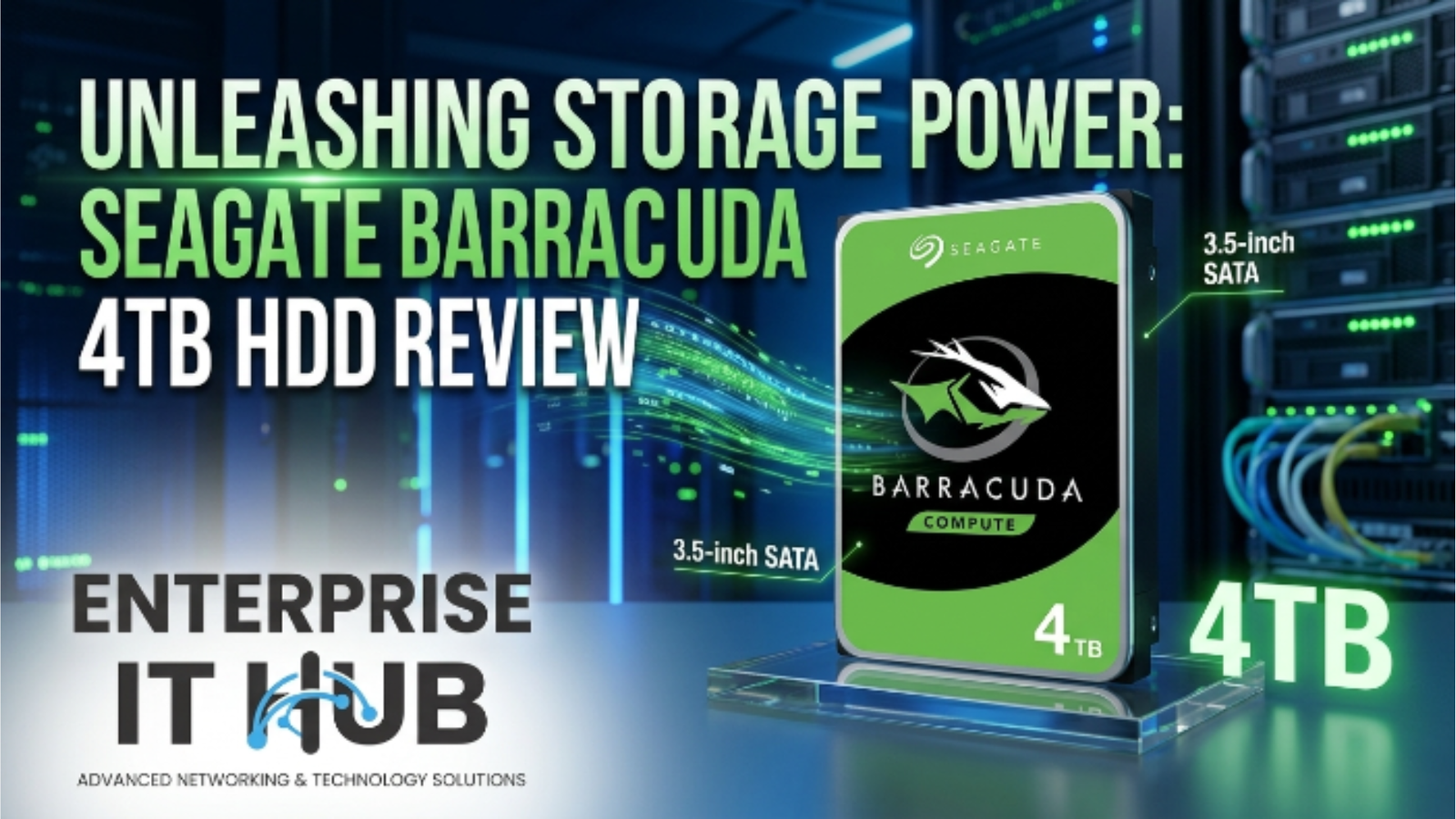
Unleashing Storage Power: Seagate BarraCuda 4TB HDD Review
The Seagate BarraCuda 4TB sits at the intersection of price, capacity, and real-world reliability — and in 2026, that still matters more than ever.
Your desktop is choking. Projects pile up, game libraries balloon, and that 1TB drive you bought three years ago is now 94% full. You need more storage — fast, affordable, and from a brand that won’t let you down at 2 a.m. when a deadline hits.
That’s exactly where the Seagate BarraCuda 4TB earns its reputation. At $222.00, it delivers serious capacity for desktop builds, home NAS setups, and budget-conscious power users who refuse to compromise on performance. If you’re shopping at enterpriseithub.com, this drive is one of the first things that should land in your cart.
This review breaks down everything: real specs, real-world use cases, who it’s built for, and how it stacks up against the competition. Let’s get into it.
Table of Contents
Why Seagate BarraCuda 4TB Matters in 2026
The HDD market isn’t dead — it’s evolved. SSDs handle OS and boot duties, but when it comes to bulk storage, HDDs still win on cost per gigabyte. No contest.
In 2026, the average desktop user needs north of 2TB just to store a working creative library, a gaming collection, and a media archive. The Seagate BarraCuda 4TB slots perfectly into that demand.
⚠️ ALERT: According to Backblaze’s HDD reliability stats (opens in new tab), Seagate BarraCuda drives consistently rank among the top performers for consumer-grade internal HDDs. Annual failure rates in monitored fleets have held below 2% for recent BarraCuda models.
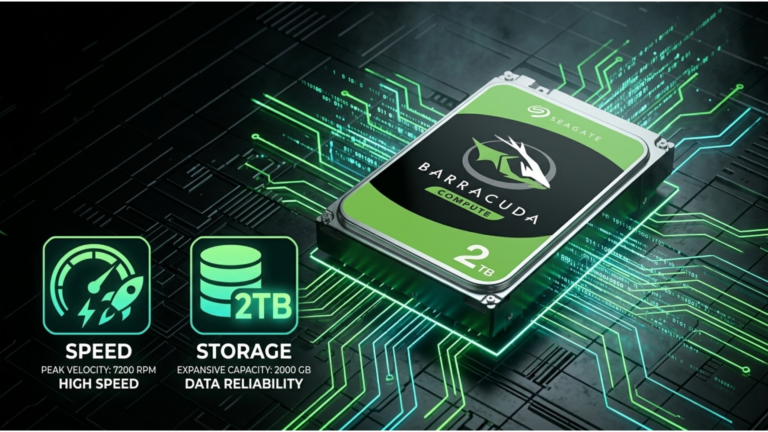
The model number you want: ST4000DM004. That’s the 4TB BarraCuda, and it’s been a workhorse in desktop builds since its release. At $222.00 from enterpriseithub.com, you’re paying roughly $0.055 per gigabyte — a price point that SSDs still can’t touch at this scale.
Seagate BarraCuda 4TB: Full Specs Breakdown
Let’s get technical. Here’s everything you need to know about the Seagate BarraCuda 4TB (ST4000DM004) before you buy:
┌─────────────────────────────────────────────────────────┐
│          SEAGATE BARRACUDA 4TB — SPEC SHEET              │
├──────────────────────────┬──────────────────────────────┤
│  Model Number            │  ST4000DM004                 │
│  Capacity                │  4TB                         │
│  RPM                     │  5400 RPM                    │
│  Cache (Buffer)          │  256MB                       │
│  Interface               │  SATA 6Gb/s                  │
│  Form Factor             │  3.5-inch                    │
│  Max Sustained Transfer  │  190 MB/s                    │
│  Power (Active)          │  ~5.3W                       │
│  MTBF                    │  600,000 hours               │
│  Warranty                │  2 Years                     │
│  Price (enterpriseithub) │  $222.00                     │
└──────────────────────────┴──────────────────────────────┘
The 256MB cache is the real headline here. Previous BarraCuda generations shipped with 64MB or 128MB — the jump to 256MB dramatically improves burst read/write performance on large file transfers.
SATA 6Gb/s connectivity means it’ll work in any modern desktop or tower system without an adapter. Plug in, format, done.
🔴 KEY POINT: The ST4000DM004’s 5400 RPM spindle speed is a deliberate engineering choice — not a shortcut. Lower RPM means lower heat, quieter operation, and longer lifespan in continuous-use desktop environments. For a secondary storage drive, this is the right call.
Real-World Performance: What You Actually Experience
Benchmarks are great. Real-world use is better. Here’s how the Seagate BarraCuda 4TB actually performs across common desktop scenarios:
Large File Transfers (Video/Photos) Moving a 50GB 4K video project folder? Expect sustained sequential reads around 175–190 MB/s. You’ll get that folder transferred in under 5 minutes. For creatives working with RAW image libraries or Premiere Pro timelines, this drive keeps up without throttling.
Gaming Storage Games load from this drive comfortably. It’s not a boot drive — keep your OS on an SSD — but as a secondary game library drive, load times are acceptable. Call of Duty: Warzone and similar large-title installs (100GB+) transfer in under 10 minutes from USB 3.0.
Home NAS (Occasional Use) The BarraCuda 4TB works in a home NAS for light workloads. Single-user media streaming, photo backups, family document storage — it handles all of this cleanly. However, for always-on NAS environments with multiple simultaneous users, you’ll want to step up (more on that in a later section).
Everyday Desktop Secondary Drive This is the drive’s comfort zone. Documents, downloads, media libraries, local backups — it manages all of it quietly and efficiently.
⚠️ PRO TIP: Always pair the BarraCuda 4TB with an SSD boot drive. Run Windows or macOS from your SSD, mount the BarraCuda as your D: or secondary drive. Your system stays snappy while the HDD handles bulk storage duties.
According to Storage Review’s HDD testing methodology (opens in new tab), consumer HDDs in the 4–6TB range show the most favorable cost-performance ratio for desktop secondary storage workloads.
Who Should Buy the Seagate BarraCuda 4TB?
Not every drive is right for every buyer. The Seagate BarraCuda 4TB is a strong match for specific use cases — and the wrong call for others.
✅ Buy the BarraCuda 4TB if you are:
| Use Case | Fit | Reason |
|---|---|---|
| Desktop PC builder | ✅ Perfect | Secondary storage, easy install |
| Home media collector | ✅ Perfect | 4TB for movies/music/photos |
| Budget NAS (light use) | ✅ Good | Low-power, quiet |
| Student/Home Office | ✅ Perfect | Affordable, reliable |
| Small gaming rig | ✅ Good | Game library drive |
❌ Don’t buy the BarraCuda 4TB if you need:
| Use Case | Fit | Better Option |
|---|---|---|
| Always-on NAS / RAID | ❌ Not ideal | Seagate IronWolf 6TB |
| 24/7 surveillance DVR | ❌ Not designed for it | Seagate SkyHawk 8TB |
| High-speed editing workstation | ❌ Limited | SSD or hybrid |
| Enterprise server storage | ❌ Wrong class | Enterprise-class drive |
The pattern is clear. The Seagate BarraCuda 4TB is a desktop-first, cost-first, reliability-first drive. It’s not trying to be something it’s not.
BarraCuda 4TB vs. the Competition
How does the Seagate BarraCuda 4TB stack up against other drives in its class?
┌──────────────────────────────────────────────────────────────────────┐
│              COMPARISON: 4TB DESKTOP HDD MARKET                       │
├─────────────────────┬──────────┬────────┬───────────┬────────────────┤
│  Drive              │  RPM     │  Cache │  SATA     │  Price Range   │
├─────────────────────┼──────────┼────────┼───────────┼────────────────┤
│  Seagate BarraCuda  │  5400    │  256MB │  6Gb/s    │  $222.00 ✅    │
│  4TB (ST4000DM004)  │          │        │           │                │
├─────────────────────┼──────────┼────────┼───────────┼────────────────┤
│  Generic 4TB HDD    │  5400    │  64MB  │  6Gb/s    │  ~$200-240     │
│  (no-brand)         │          │        │           │                │
├─────────────────────┼──────────┼────────┼───────────┼────────────────┤
│  3TB Desktop HDD    │  7200    │  64MB  │  6Gb/s    │  ~$160-180     │
│  (older gen)        │          │        │           │                │
└─────────────────────┴──────────┴────────┴───────────┴────────────────┘
The BarraCuda’s 256MB cache is the biggest differentiator at this price tier. Competing drives in the same capacity bracket often ship with 64MB or 128MB cache — a real-world bottleneck when handling large directories or multiple simultaneous file operations.
Per Tom’s Guide’s storage section , the Seagate BarraCuda line consistently ranks highly for consumer desktop storage for its balance of price, reliability, and brand support.
Seagate’s Full Storage Lineup: When to Step Up
The Seagate BarraCuda 4TB is the entry point. Seagate also makes two other drives available at enterpriseithub.com that deserve mention — because your needs might call for more.
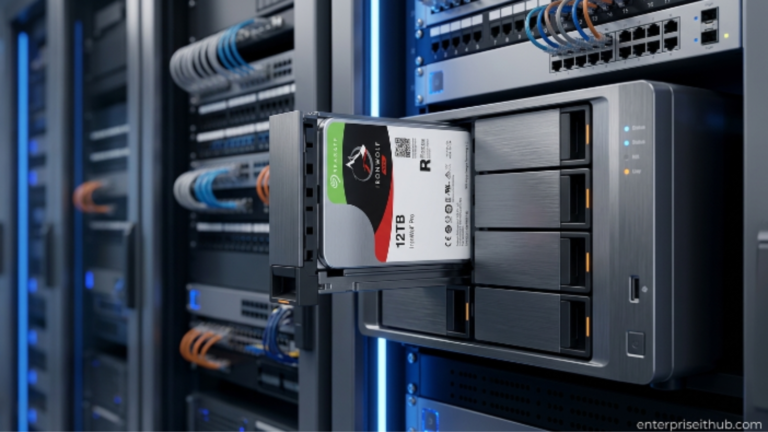
Seagate IronWolf 6TB NAS HDD (ST6000VN001) — $382.00
The IronWolf 6TB is built specifically for always-on NAS environments. AgileArray technology optimizes it for multi-drive RAID arrays. If you’re running a Synology, QNAP, or any home/SMB NAS box with two or more drives, the IronWolf is the right tool — not the BarraCuda. It handles 24/7 operation without degradation and is engineered to survive the vibration of multi-drive enclosures.
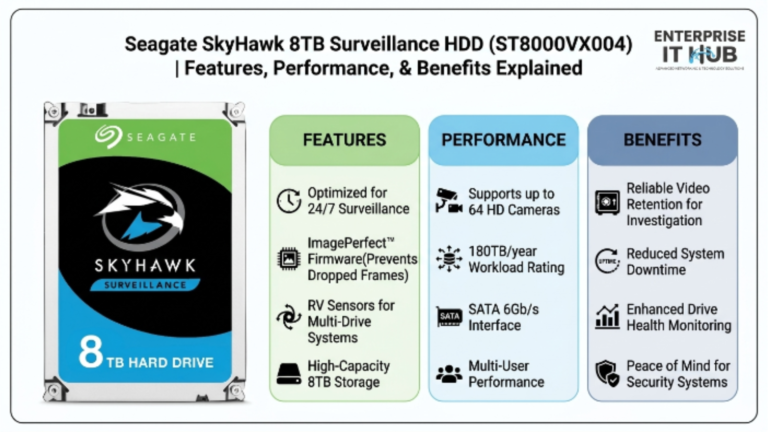
Seagate SkyHawk 8TB Surveillance HDD (ST8000VX004) — $443.00
The SkyHawk 8TB is a completely different animal. It’s optimized for surveillance workloads — continuous write streams from security cameras, DVR/NVR systems, and monitoring setups that run 24/7/365. ImagePerfect firmware reduces dropped frames during high-camera-count recording. If you’re managing a CCTV system with 16+ cameras, this is the drive you need, not the BarraCuda.
⚠️ PRO TIP: Match the drive to the workload. Using a BarraCuda in a surveillance NVR might technically work — but you’ll see premature wear. Seagate built the IronWolf and SkyHawk for a reason. Spend the extra money once. Replace the drive less often.
How to Choose the Right Internal HDD
Not sure which Seagate drive is right for your build? Follow this:
- Define your primary use case first. Desktop PC secondary storage? BarraCuda. NAS? IronWolf. Surveillance? SkyHawk. Don’t skip this step.
- Calculate your capacity need. Add up your current storage usage, then double it. That’s your minimum for the next 3 years. If 4TB covers that — great, get the BarraCuda 4TB.
- Check your system’s SATA ports. Modern desktops all support SATA 6Gb/s. Older systems may have SATA 3Gb/s — the drive is backward compatible, but peak throughput will be limited.
- Consider the enclosure or case. The BarraCuda 4TB is a 3.5-inch drive. Confirm your case or NAS bay supports 3.5-inch form factor before ordering.
- Check warranty and support. The BarraCuda 4TB comes with a 2-year warranty. For mission-critical systems, the IronWolf or SkyHawk offer extended warranty options.
- Budget for the full build. At $222.00, the Seagate BarraCuda 4TB leaves room in your budget for a solid SATA cable and mounting hardware.
- Buy from a trusted source. Counterfeit and refurbished HDDs are real. Purchase from authorized retailers like enterpriseithub.com to get genuine, warranty-backed hardware.
✅ Quick Reference Checklist
Use this before you click “Add to Cart”:
SEAGATE BARRACUDA 4TB — PRE-PURCHASE CHECKLIST

[ ] I need desktop secondary storage or a home NAS for light use
[ ] My PC case has an open 3.5-inch drive bay
[ ] My motherboard has an available SATA port
[ ] I have a SATA data cable (or buying one)
[ ] My use case is NOT 24/7 NAS or surveillance (those need IronWolf/SkyHawk)
[ ] I've confirmed SATA 6Gb/s support on my motherboard
[ ] I'm buying from enterpriseithub.com for warranty coverage
[ ] I have a backup strategy in place (HDDs are not backups of themselves)
[ ] I understand this is a secondary storage drive — my OS stays on SSD
[ ] I'm ready to pay $222.00 for 4TB of reliable Seagate storage
Frequently Asked Questions
Q: Is the Seagate BarraCuda 4TB good for gaming?
A: Yes — as a secondary game library drive. Install your OS and frequently played titles on an SSD for best boot/load times, then use the BarraCuda 4TB to store your broader game library. Games launch from it with acceptable load times, and at 4TB you can store dozens of large-title installs.
Q: Can I use the Seagate BarraCuda 4TB in a NAS?
A: For light, single-user home NAS setups, yes. But for always-on multi-user NAS environments or RAID arrays, Seagate makes the IronWolf series specifically for that purpose. The IronWolf 6TB at $382.00 is purpose-built for NAS and will last significantly longer in that role.
Q: What’s the difference between 5400 RPM and 7200 RPM drives?
A: 7200 RPM drives offer higher peak sequential speeds but generate more heat and noise. 5400 RPM drives like the BarraCuda 4TB run cooler, quieter, and consume less power — making them ideal for secondary storage or NAS use where sustained performance over years matters more than peak speed.
Q: Does the Seagate BarraCuda 4TB work with Mac?
A: Yes. The drive ships formatted for Windows (NTFS) but can be reformatted for macOS (HFS+ or APFS) using Disk Utility in under 5 minutes. It’s compatible with any system that supports SATA 6Gb/s.
Q: Is $222.00 a good price for 4TB HDD storage in 2026?
A: At roughly $0.055 per gigabyte, it’s competitive for a brand-name, warranted drive from a trusted retailer. Generic or no-name 4TB drives may appear cheaper, but the risk of early failure and lack of warranty support makes Seagate’s price point well worth it for any serious build.
Conclusion
The Seagate BarraCuda 4TB (ST4000DM004) is exactly what it claims to be: a reliable, affordable, high-capacity internal HDD built for desktop storage workloads. The 256MB cache makes it perform above its price class. The 5400 RPM spindle keeps it cool and quiet in daily operation. The SATA 6Gb/s interface means it works in any modern build without a second thought.
At $222.00 from enterpriseithub.com, it’s the default recommendation for anyone building a desktop PC who needs serious secondary storage capacity without blowing the budget. Four terabytes covers creative projects, gaming libraries, media archives, and home office backups — all in one drive.
If your needs evolve beyond desktop secondary storage, Seagate’s lineup scales with you. The IronWolf 6TB handles always-on NAS environments, and the SkyHawk 8TB takes care of surveillance. But for the majority of desktop users reading this? The Seagate BarraCuda 4TB is the answer.