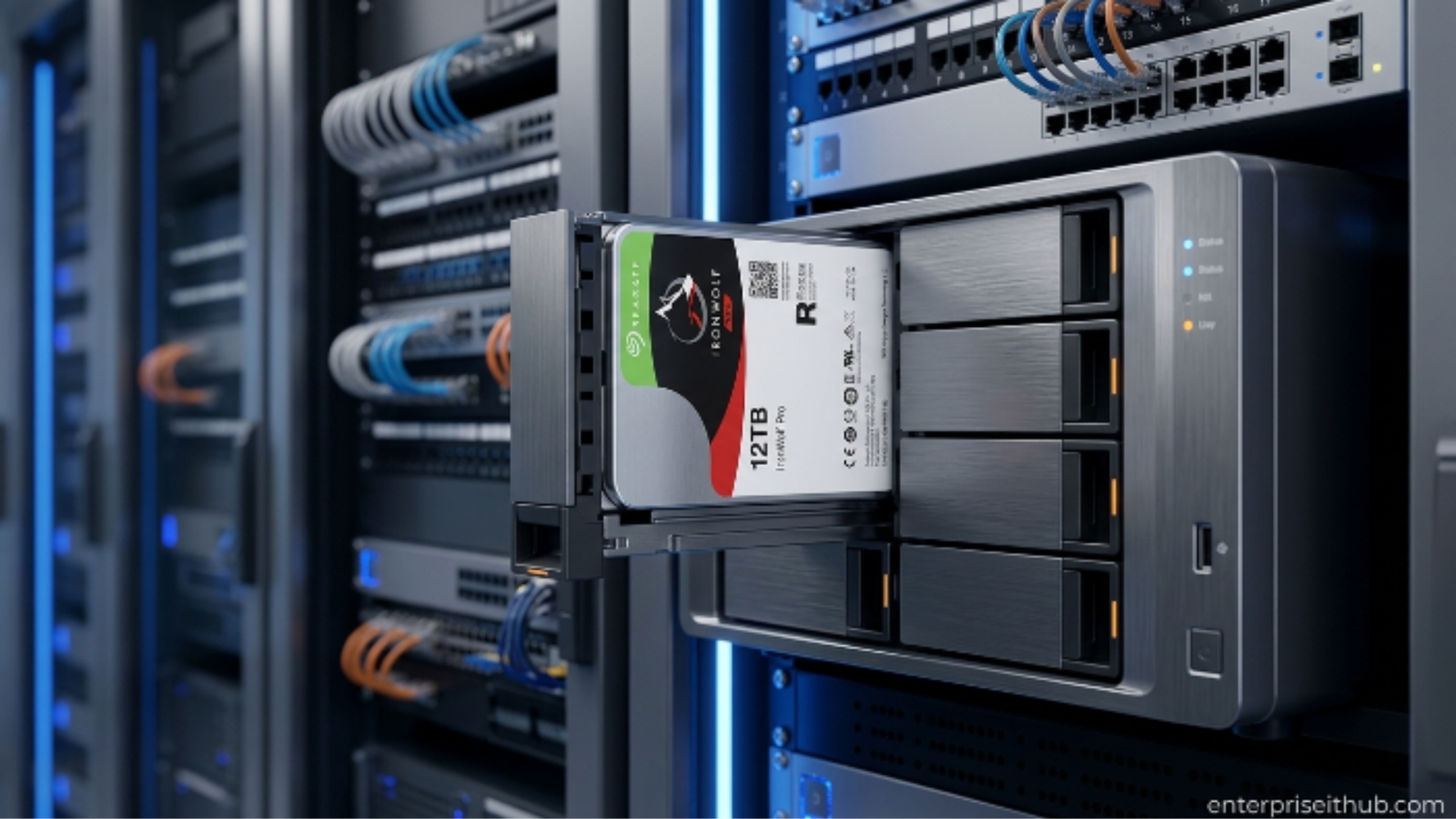
Seagate IronWolf Pro ST12000NE0008 12TB Internal NAS Hard Drive – Complete Review and Buying Guide
If you’re building or upgrading a NAS hard drive setup in 2026, the Seagate IronWolf Pro ST12000NE0008 deserves your full attention.
You’ve got a growing file server. A RAID array that’s running out of room. A small business NAS that needs to handle 24/7 workloads without flinching. You need drives that won’t die on you at 2 AM on a Tuesday.
The Seagate IronWolf Pro 12TB isn’t just another spinning disk. It’s purpose-built for always-on, multi-user NAS environments — the kind where drives are hot-swapped, RAID controllers push hard, and downtime costs real money.
This guide breaks down everything: specs, real-world performance, who should buy it, and how it compares to alternatives. Let’s get into it.
Table of Contents
Why NAS Hard Drives Matter in 2026
The data storage market is exploding. By 2026, global datasphere growth is pushing organizations — from solo creators to 50-person SMBs — to rethink how they store, protect, and access files.
A standard desktop drive in a NAS enclosure is a ticking clock. Consumer drives aren’t rated for multi-user access, high duty cycles, or the vibration that comes from running multiple drives in a single enclosure. They fail faster. They fail quietly. And when they go, they take your data with them.
⚠️ ALERT: Up to 70% of NAS drive failures in SMB environments happen because users deploy consumer-grade desktop HDDs in always-on, multi-bay enclosures. Enterprise-class NAS drives exist for a reason — don’t cut corners on storage.
The NAS hard drive category exists because the workload is fundamentally different. Higher sustained throughput. Rotational Vibration (RV) sensing. Mean Time Between Failures (MTBF) measured in millions of hours, not thousands. If you’re running Synology, QNAP, or a custom TrueNAS build, you need the right drive for the job.
Seagate IronWolf Pro ST12000NE0008 – Full Specs Breakdown
Here’s what you’re actually buying:
| Specification | Detail |
|---|---|
| Model Number | ST12000NE0008 |
| Capacity | 12TB |
| Interface | SATA 6Gb/s |
| RPM | 7200 RPM |
| Cache | 256MB |
| MTBF | 1.2 million hours |
| Workload Rate | 300TB/year |
| RV Sensors | Yes (multi-drive vibration compensation) |
| AgileArray Technology | Yes |
| IronWolf Health Management | Yes |
| Data Recovery Service | 3-year Seagate Rescue included |
| Warranty | 5 years |
| Form Factor | 3.5-inch |
| Operating Power | ~9W (read/write), ~5.3W (idle) |
The 7200 RPM spindle speed is the first thing that separates the Pro from the standard IronWolf line. More rotations per minute means faster sequential reads, lower latency under load, and better sustained throughput over long transfer sessions.
That 256MB cache is doing serious work. Combined with Seagate’s AgileArray firmware, it smooths out multi-user access patterns — critical when you have 5–10 people hammering the same NAS simultaneously.
🔴 KEY POINT: The ST12000NE0008 is rated for a 300TB/year workload. The standard IronWolf tops out at 180TB/year. If your NAS runs video surveillance, daily backups, or active file sharing, the Pro tier is worth the extra spend.
NAS Drive Workload Comparison (Annual)
━━━━━━━━━━━━━━━━━━━━━━━━━━━━━━━━━━━━━━
IronWolf Pro 12TB   [████████████████████] 300TB/yr
IronWolf 6TB        [████████████] 180TB/yr
BarraCuda 4TB       [████] 55TB/yr (desktop)
━━━━━━━━━━━━━━━━━━━━━━━━━━━━━━━━━━━━━━
NAS Hard Drive Performance: How the IronWolf Pro Delivers
The ST12000NE0008 is a 12TB CMR (Conventional Magnetic Recording) drive. That matters.
CMR drives write data in non-overlapping tracks. SMR (Shingled Magnetic Recording) drives overlap tracks to squeeze more capacity — but they pay for it with slower random write speeds and unpredictable performance under sustained loads. For a NAS hard drive in active use, CMR is the only acceptable choice.
Sequential read/write performance peaks around 250MB/s on this drive — competitive with anything else in the 7200 RPM NAS tier. In a RAID 5 or RAID 6 array, that throughput stacks beautifully.
Random IOPS is where consumer drives fall apart in NAS scenarios. The IronWolf Pro handles mixed read/write workloads with less latency thanks to its RV (Rotational Vibration) sensors. When you’ve got 8 drives spinning in a 2U rack, vibration is a real performance killer. Seagate’s RV sensing actively compensates.
⚠️ PRO TIP: Always populate your NAS bays evenly when using multiple IronWolf Pro drives. Asymmetric drive placement increases vibration transfer and can degrade performance by 10–15% in high-density enclosures.
IronWolf Health Management – The Feature Most Buyers Miss
IronWolf Health Management (IHM) is Seagate’s proprietary drive analytics system. It’s built into the firmware of every IronWolf Pro drive and works natively with supported NAS platforms.
Here’s what it does:
- Monitors drive health in real-time — temperature, vibration, usage patterns
- Prevents data loss by flagging drives before they fail
- Provides actionable alerts through your NAS management interface (Synology DSM, QNAP QTS, etc.)
- Optimizes performance based on workload history
This isn’t just SMART data repurposed with a new name. IHM goes deeper — it tracks NAS-specific stress metrics that generic SMART monitoring ignores.
Paired with the 3-year Seagate Rescue Data Recovery Service included with every IronWolf Pro, you get a complete data protection stack. If the drive fails, Seagate’s recovery team can retrieve data from physically damaged drives. That’s a $250+ value baked into the purchase price.
Who Should Buy This NAS Hard Drive?
Let’s be direct. The IronWolf Pro ST12000NE0008 is not for everyone. Here’s the breakdown:
✅ Buy this if you are:
- Running a 4-bay or larger NAS enclosure
- Using your NAS for business-critical file storage or backups
- Deploying in a RAID 5, RAID 6, or RAID 10 array
- Managing media libraries, surveillance footage, or database backups
- An IT admin supporting 5–50 users on a shared storage platform
❌ Skip it if you are:
- Building a single-drive desktop storage solution
- Running a casual 1-2 bay home NAS for light personal use
- On a tight budget and only need basic file backup
For light home NAS use or desktop backup, the Seagate IronWolf 6TB (ST6000VN001) at $382.00 is the smarter buy. It’s NAS-optimized with AgileArray technology, handles RAID configurations cleanly, and comes in at a lower price point for workloads under 180TB/year.
IronWolf Pro vs. IronWolf vs. BarraCuda – Which One’s Right for You?
This comparison gets asked constantly. Here’s a clean breakdown:
| Feature | IronWolf Pro 12TB | IronWolf 6TB | BarraCuda 4TB |
|---|---|---|---|
| RPM | 7200 | 5400 | 5400 |
| Cache | 256MB | 256MB | 256MB |
| Workload/Year | 300TB | 180TB | 55TB |
| MTBF | 1.2M hours | 1M hours | 600K hours |
| RV Sensors | Yes | Yes | No |
| IHM Support | Yes | Yes | No |
| Warranty | 5 years | 3 years | 2 years |
| Rescue Service | 3 years included | — | — |
| Best For | Multi-bay NAS, SMB | Home/SMB NAS | Desktop, light NAS |
| Price | Market | $382.00 | $222.00 |
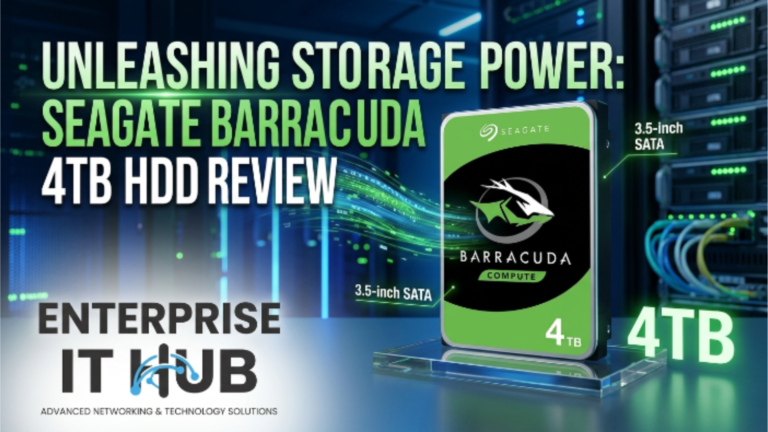
The Seagate BarraCuda 4TB (ST4000DM004) at $222.00 is excellent for desktop PCs and budget home builds — but it has no RV sensing, lower MTBF, and a 55TB/year workload ceiling. Don’t put it in a RAID array expecting enterprise reliability.
The IronWolf Pro is the professional tier. You pay for the workload headroom, the longer warranty, and the recovery service.
RAID Configuration Guide for NAS Deployments
Your NAS hard drive choice is only half the equation. RAID configuration determines how your storage performs and recovers.
Common configurations with 12TB drives:
RAID 5 (4 drives × 12TB = 36TB usable)
Fault Tolerance: 1 drive failure
Use Case: General file sharing, media storage

RAID 6 (6 drives × 12TB = 48TB usable)
Fault Tolerance: 2 simultaneous drive failures
Use Case: Business-critical data, compliance storage

RAID 10 (4 drives × 12TB = 24TB usable)
Fault Tolerance: 1 drive per mirrored pair
Use Case: Database servers, high IOPS workloads
For large-capacity drives like the 12TB IronWolf Pro, RAID 6 is strongly recommended over RAID 5. Rebuilding a 12TB array after a single drive failure takes time — and during that rebuild window, a second failure with RAID 5 means total data loss.
⚠️ PRO TIP: When rebuilding a RAID array with 12TB+ drives, schedule the rebuild during off-peak hours. Full rebuilds can take 24–48 hours and put significant stress on remaining drives.
Real-World Use Cases
Here’s where the IronWolf Pro earns its price tag:
Small Business File Server A 10-person accounting firm running QuickBooks files, client records, and shared documents. Constant read/write access from multiple users throughout the day. The 300TB/year workload rating handles it. The 5-year warranty protects the investment.
Media Production Storage Video editors pulling 4K footage off shared NAS storage need sustained read performance. The 7200 RPM spindle and 256MB cache on the IronWolf Pro deliver consistent throughput without the cache-flush slowdowns you get from SMR drives.
Backup Target Running daily incremental backups from 20 workstations? The IronWolf Pro handles it without thermal throttling or vibration-induced errors. MTBF of 1.2 million hours means you’re not rebuilding arrays every 18 months.
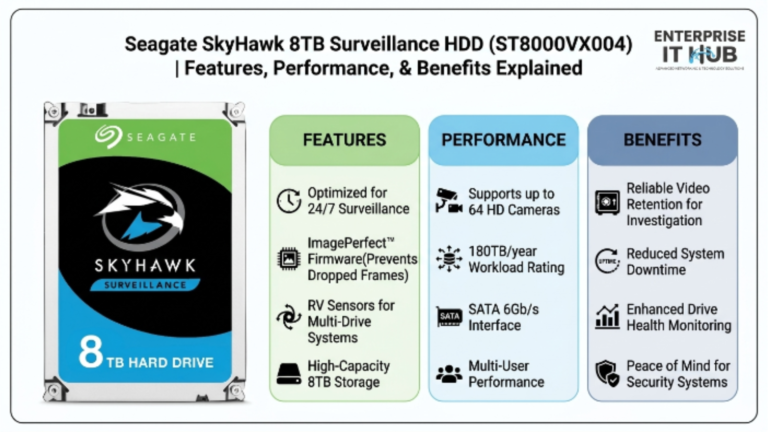
Surveillance Storage (Long-Term Archive) While the Seagate SkyHawk 8TB (ST8000VX004) at $443.00 is optimized specifically for surveillance with ImagePerfect firmware and support for up to 64 HD cameras, the IronWolf Pro serves well as a secondary archive target for long-term footage retention.
How to Choose the Right NAS Hard Drive
Follow these steps before you click buy:
- Assess your workload — Calculate your expected annual TB written. Under 180TB? IronWolf. Over 180TB? IronWolf Pro.
- Count your bays — 1–2 bay enclosures can use standard IronWolf. 4+ bays in a business environment warrant the Pro.
- Check RAID requirements — Large capacity arrays (8TB+) should use RAID 6, not RAID 5. Plan drive count accordingly.
- Verify NAS compatibility — Check Seagate’s compatibility list and your NAS vendor’s HDD compatibility database before purchasing.
- Factor in warranty and recovery — The IronWolf Pro’s 5-year warranty and included Rescue service adds real insurance value. Factor that against total cost of ownership.
- Budget for the full stack — Drives are one cost. NAS enclosure, RAM, networking, UPS — build the full budget before committing to a drive tier.
- Buy in matched sets — Always use identical drive models in RAID arrays. Mixing capacities and firmware versions creates headaches during rebuilds.
✅ Quick Reference Checklist
NAS Hard Drive Deployment Checklist
━━━━━━━━━━━━━━━━━━━━━━━━━━━━━━━━━━━

PRE-PURCHASE
[ ] Confirmed drive is on NAS vendor compatibility list
[ ] Calculated annual workload (TB/year)
[ ] Selected correct RAID level for use case
[ ] Verified enclosure bay count and airflow
[ ] Checked UPS/power protection is in place

INSTALLATION
[ ] Matched firmware across all drives in array
[ ] Populated bays symmetrically to minimize vibration
[ ] Enabled IronWolf Health Management in NAS UI
[ ] Ran extended SMART test on all new drives
[ ] Documented drive serial numbers and install date

POST-INSTALLATION
[ ] RAID build completed without errors
[ ] IHM alerts configured (email/SMS)
[ ] First backup verified and tested
[ ] Rebuild time benchmarked on test array
[ ] Warranty registration completed on Seagate.com
Frequently Asked Questions
Q: Is the Seagate IronWolf Pro ST12000NE0008 compatible with Synology NAS units?
A: Yes. The IronWolf Pro is on Synology’s official HDD compatibility list for most current models. Always verify your specific NAS model on Synology’s compatibility database before purchasing. Seagate also maintains its own compatibility tool at seagate.com.
Q: What’s the difference between IronWolf and IronWolf Pro for a NAS hard drive?
A: The Pro tier adds 7200 RPM spindle speed (vs. 5400 RPM on standard IronWolf), higher workload ratings (300TB/year vs. 180TB/year), longer MTBF, a 5-year warranty (vs. 3-year), and the included 3-year Rescue data recovery service. For home use, the standard IronWolf works well. For business deployments, the Pro is the right call.
Q: Can I use the IronWolf Pro in a desktop PC or external enclosure?
A: Technically yes, but you’re paying for NAS-specific features you won’t use. For desktop storage, the Seagate BarraCuda 4TB (ST4000DM004) at $222.00 is purpose-built for that use case and costs less.
Q: How long does a RAID rebuild take with 12TB drives?
A: Expect 24–48 hours for a full RAID 5/6 rebuild at 12TB. Speed depends on your NAS hardware, array activity level, and network load during the rebuild. Keep the NAS on a UPS and avoid heavy file transfers during the rebuild window.
Q: Does the IronWolf Pro work in a TrueNAS or unRAID system?
A: Yes. The IronWolf Pro is fully compatible with ZFS-based systems like TrueNAS (CORE and SCALE) and unRAID. IronWolf Health Management may require the Synology or QNAP platform for full UI integration, but SMART monitoring works on any Linux-based NAS OS.
Conclusion
The Seagate IronWolf Pro ST12000NE0008 is a serious NAS hard drive built for serious workloads. Seven thousand RPM, 256MB cache, 300TB/year workload rating, 1.2 million hour MTBF, and a 5-year warranty with recovery service included — it covers every requirement a business storage deployment demands.
If you’re running a 4-bay or larger NAS for file sharing, media production, backup, or any always-on business application, this is the drive to buy. Not because it’s the flashiest spec sheet — because it’s the drive that won’t let you down at scale.
For lighter home NAS workloads, the Seagate IronWolf 6TB (ST6000VN001) at $462.00 hits the sweet spot: NAS-optimized, RAID-ready, AgileArray-powered, at a price that makes sense for 1–4 bay personal setups.
Build smart. Buy the right drive for the right job. Your data — and your 2 AM self — will thank you.