Short Throw Projector Buying Guide 2026
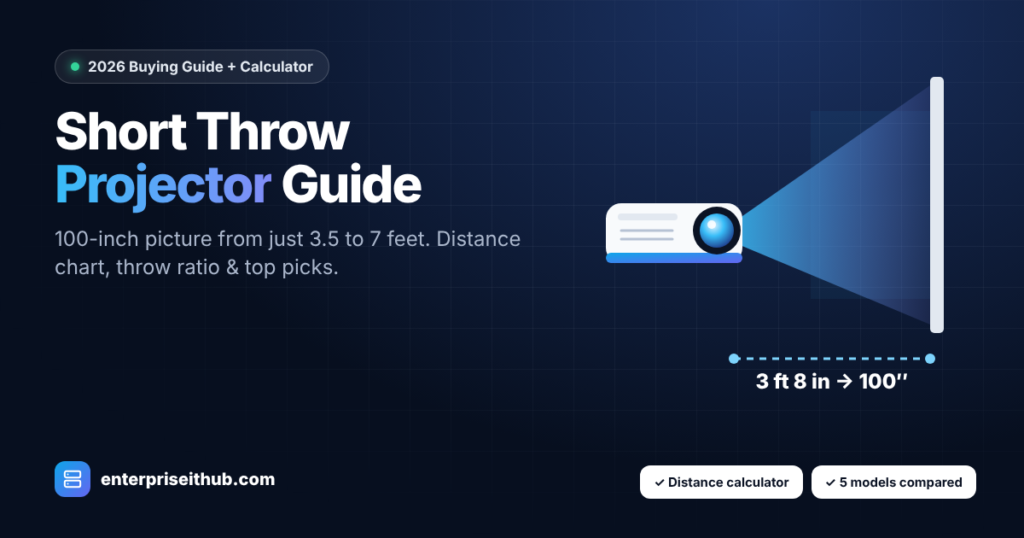
A short throw projector lets you put a 100-inch picture on the wall from just 3 to 7 feet away. That makes a big-screen setup possible in a small living room, a bedroom, a classroom or a meeting room, with no ceiling mount at the back of the room and less chance of someone walking through the light beam.
This guide explains what throw ratio means, how far a short throw projector needs to sit from your screen (with a free calculator), and which short throw projector suits gaming, movies or business use.
A short throw projector has a throw ratio of roughly 0.4 to 1.0, so it creates a 100-inch image from about 3.5 to 7 feet away. A standard projector (throw ratio around 1.5) needs about 11 feet for the same picture. Choose a 0.49–0.5 ratio model (Optoma GT1080HDR, GT1090HDR, ZH406ST) for the tightest rooms, the BenQ TH671ST for budget 1080p, and the BenQ TK700ST if you want native 4K.
What Is a Short Throw Projector?
“Throw” is the distance between the projector lens and the screen. A short throw projector uses a wide-angle lens so the image grows very quickly, which means it can sit close to the wall instead of at the back of the room. There are three main types:
- Standard (long) throw: throw ratio about 1.2–2.0. Needs 9–14 feet for a 100-inch image.
- Short throw: throw ratio about 0.4–1.0. Needs about 3.5–7 feet for 100 inches.
- Ultra short throw (UST): throw ratio below about 0.4. Sits just inches from the wall, usually on a cabinet.
Throw Ratio Explained (With the Simple Formula)
The throw ratio tells you how far the projector must be from the screen for every foot of image width:
Throw distance = Throw ratio × Image width
A 100-inch 16:9 screen is about 87 inches (2.21 m) wide. A projector with a 0.5:1 throw ratio therefore needs 0.5 × 87 = about 44 inches (3 ft 8 in). A projector with a 1.5:1 ratio needs about 131 inches (10 ft 11 in) for the same screen. Some projectors have a zoom lens with a range (for example 0.9–1.08), which gives you more flexibility in where you place them.
Short Throw Projector Distance Calculator
How far should my projector be from the screen?
Choose a projector and your screen size (16:9). The result shows the distance from the lens to the screen.
Distances are calculated from each model’s published throw ratio. Always confirm with the manufacturer’s manual before mounting.
Short Throw Distance Chart: 80″, 100″ and 120″ Screens
| Projector (throw ratio) | 80″ screen | 100″ screen | 120″ screen |
|---|---|---|---|
| Optoma GT1080HDR (0.49) | 2 ft 10 in · 0.87 m | 3 ft 7 in · 1.08 m | 4 ft 3 in · 1.30 m |
| Optoma GT1090HDR / ZH406ST (0.50) | 2 ft 11 in · 0.89 m | 3 ft 8 in · 1.11 m | 4 ft 4 in · 1.33 m |
| BenQ TH671ST (0.69–0.83) | 4 ft 0 in – 4 ft 10 in | 5 ft 0 in – 6 ft 0 in | 6 ft 0 in – 7 ft 3 in |
| BenQ TK700ST (0.9–1.08) | 5 ft 3 in – 6 ft 3 in | 6 ft 6 in – 7 ft 10 in | 7 ft 10 in – 9 ft 5 in |
| Standard projector (1.5) | 8 ft 9 in | 10 ft 11 in | 13 ft 1 in |
5 Short Throw Projectors Compared
These are the short throw models we stock, with the specifications that matter most for choosing between them.
| Model | Resolution | Brightness | Throw ratio | Light source | Best for |
|---|---|---|---|---|---|
| BenQ TK700ST | Native 4K UHD | 3,000 lm | 0.9–1.08 | Lamp | 4K gaming & movies |
| Optoma GT1080HDR | 1080p (4K HDR input) | 3,800 lm | 0.49 | Lamp | Low-lag gaming |
| Optoma GT1090HDR | 1080p (4K HDR input) | 4,200 lm | 0.50 | Laser | Bright rooms, golf sims |
| BenQ TH671ST | 1080p | 3,000 lm | 0.69–0.83 | Lamp | Best value |
| Optoma ZH406ST | 1080p (4K input) | 4,200 lm | 0.50 | Laser | Classrooms & boardrooms |
BenQ TK700ST
Native 4K UHD with HDR10/HLG. Input lag is about 16 ms at 4K/60Hz and as low as 4 ms at 1080p/240Hz for fast games. Needs about 6.5 ft for 100 inches.
Optoma GT1080HDR
The shortest throw here (0.49:1) and 3,800 lumens, with 8.4 ms input lag at 1080p/120Hz for PS5 and Xbox. A 100-inch picture from about 3 ft 7 in.
Optoma GT1090HDR
4,200 lumens from a laser light source rated up to 30,000 hours in Eco mode, so there is no lamp to replace. Great for rooms with windows and golf simulators.
BenQ TH671ST
Full HD and 3,000 lumens at the lowest price of this group, with 16.7 ms input lag. A 100-inch image from about 5 to 6 feet.
Optoma ZH406ST
4,200-lumen laser projector with two 10 W speakers, built for classrooms and meeting rooms where presenters stand close to the screen.
How to Choose a Short Throw Projector
1. Measure your room first
Measure from the wall or screen to where the projector will sit, then use the calculator above. If you only have 3–4 feet, choose a 0.49–0.5 throw ratio model. If you have 5–8 feet, the BenQ models with zoom give you more placement freedom.
2. Match brightness to your room light
- Dark room or home theater: 2,000–3,000 lumens is plenty.
- Living room with some daylight: 3,000–3,800 lumens.
- Bright rooms, classrooms and meeting rooms: 4,000+ lumens.
3. Native 4K or 1080p?
Native 4K (TK700ST) gives a sharper picture on 100-inch-plus screens, especially for movies. Several 1080p models accept a 4K HDR signal from consoles and streaming devices and display it at 1080p, which is still very sharp at normal viewing distances and usually cheaper.
4. Gaming? Check input lag
For competitive gaming, look for under 16 ms. The GT1080HDR (8.4 ms at 120Hz) and the TK700ST in its 1080p high-refresh mode are the strongest gaming choices here.
5. Laser or lamp?
Laser projectors (GT1090HDR, ZH406ST) turn on instantly, keep their brightness longer and are rated for 20,000–30,000 hours, so there is no lamp to buy. Lamp models cost less upfront but need a replacement lamp eventually.
Common Short Throw Mistakes to Avoid
Uneven walls show more with short throw. Because the light hits the wall at a steep angle, bumps and textured paint cast small shadows. A smooth wall or a proper projector screen gives a much cleaner image.
- Center the projector on the screen — heavy keystone correction softens the picture.
- Leave space around the vents; short throw projectors often sit near furniture.
- Check that HDMI cables are long enough for where the projector will sit.
- For a ceiling mount, confirm the mount can sit close enough to the wall.
- Add a soundbar if the built-in speaker is small (TK700ST has a single 5 W speaker).
Need a projector for an office, school or several meeting rooms? Request bulk projector pricing or browse all business and home theater projectors. For the network side of a meeting-room setup, our sister store stocks enterprise switches, Wi-Fi and network security hardware.
Short Throw Projector FAQs
How far does a short throw projector need to be from the screen?
Most short throw projectors create a 100-inch image from about 3.5 to 7 feet. A 0.5:1 model needs about 3 ft 8 in, while a 0.9:1 model needs about 6 ft 6 in for a 100-inch 16:9 screen.
What is a good throw ratio for a small room?
For small rooms, choose a throw ratio between 0.49 and 0.83. A 0.5:1 projector can make an 80-inch picture from under 3 feet away.
Is a short throw projector good for gaming?
Yes. Short throw projectors sit in front of the players, so nobody blocks the image, and gaming models like the Optoma GT1080HDR offer input lag as low as 8.4 ms at 1080p/120Hz.
What is the difference between short throw and ultra short throw?
Short throw projectors have a throw ratio of about 0.4 to 1.0 and sit a few feet from the wall. Ultra short throw projectors have a ratio below about 0.4 and sit just inches from the wall, usually on a cabinet below the screen.
Can I use a short throw projector on a wall without a screen?
Yes, but a smooth, matte, light-colored wall is important. Short throw projectors highlight wall texture, so a projector screen gives noticeably better contrast and sharpness.
Are laser short throw projectors worth it?
For daily use, usually yes. Laser models such as the Optoma GT1090HDR and ZH406ST are rated for 20,000 to 30,000 hours, turn on instantly and never need a lamp replacement.
Find Your Short Throw Projector
Authentic BenQ and Optoma projectors with full manufacturer warranty, 48-hour dispatch and 30-day returns across the USA & Canada. Not sure which one fits your room? Send us your room size and we will recommend a model.
Sources: ProjectorCentral – Optoma GT1090HDR · ProjectorCentral – Optoma GT1080HDRx · B&H – BenQ TK700ST

The Enterprise IT Hub team writes practical guides on enterprise storage, projectors, label printing and IT infrastructure.