
Best Dash Cam for Your Car (2026): Front and Rear vs Mirror vs 360°
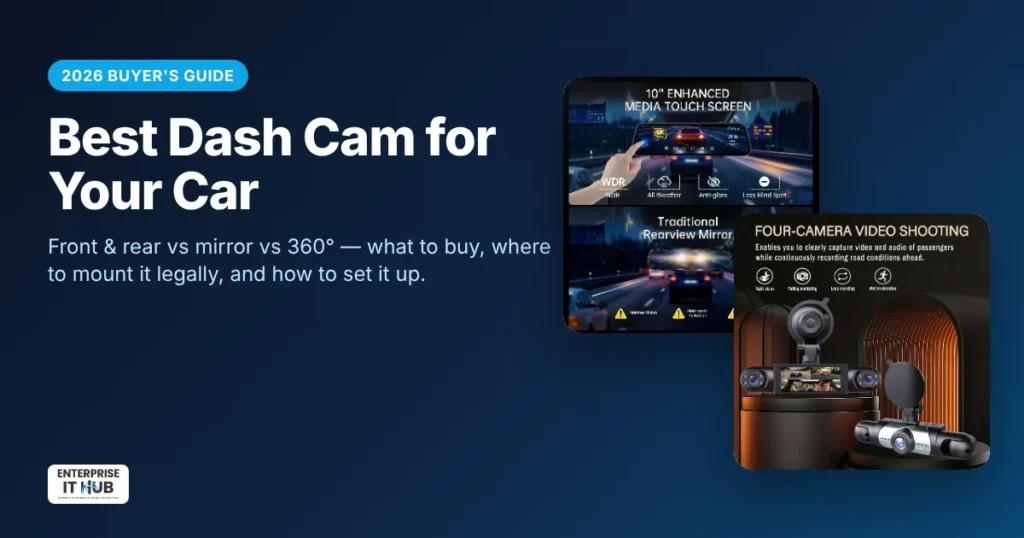
Quick answer: The best dash cam for most drivers is a front and rear dash cam with good night vision, a G-sensor that locks crash footage, and loop recording. Pick a mirror dash cam if you want a clean install and a bigger rear view. Pick a 360° multi-lens dash cam if you drive for Uber or Lyft, or need to record the cabin and side impacts. A front-only camera is the cheapest option, but it misses rear-end collisions, which are among the most common crashes on US roads.
This guide covers the three main types of dash cams and the specs that matter. It also explains where you can legally mount one and how to set it up so it records when you need it. It’s written for US drivers buying their first dash cam or upgrading an old one.
Why get a dash cam?
A dash cam is a small camera that records the road while you drive. It saves video in short clips on a microSD card. When something goes wrong, you have footage instead of your word against someone else’s.
- Prove who was at fault. Video of a rear-end hit, an unsafe lane change or a red-light runner can settle an insurance claim much faster.
- Fight staged accidents and fraud. Footage is strong evidence against “crash-for-cash” scams and false injury claims.
- Protect yourself as a rideshare or delivery driver. A cabin camera records what happens inside the car as well as on the road.
- Help with hit-and-runs. A clear clip may capture the other car’s color, model and sometimes its plate.
- Safer parking and backing up. Mirror dash cams double as a wide-angle backup camera with guide lines.
The 4 types of dash cams (and who each one is for)
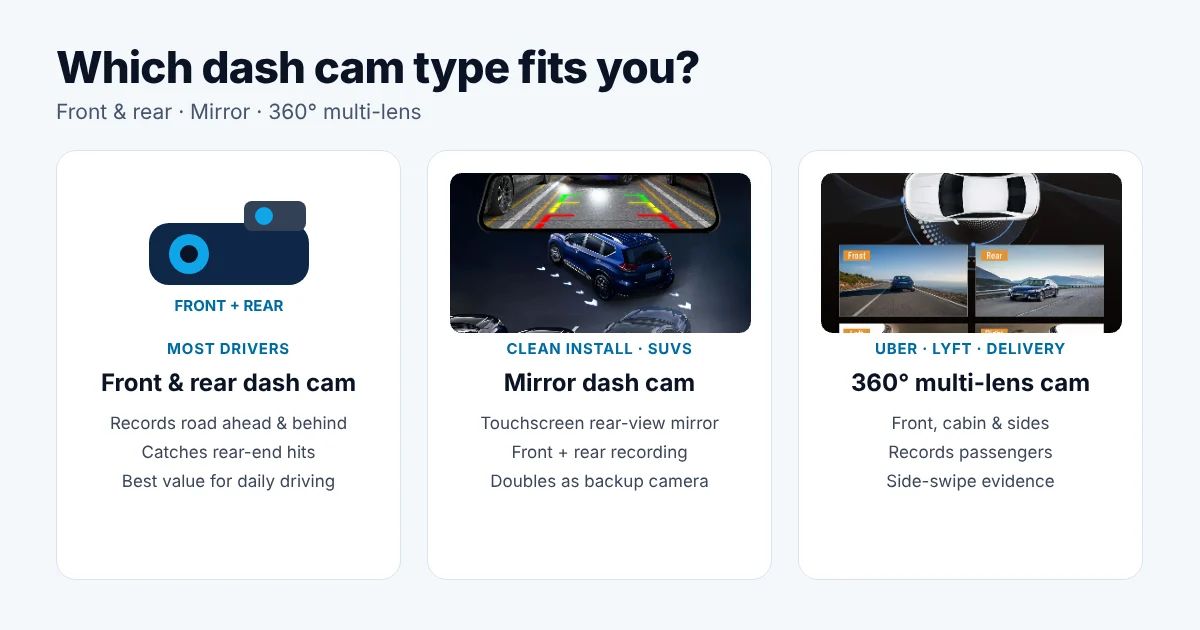
| Type | What it records | Best for | Trade-off |
|---|---|---|---|
| Front-only dash cam | The road ahead | Tight budgets, second cars | Misses rear-end and side impacts |
| Front and rear dash cam | Road ahead + behind the car | Most daily drivers and families | Rear camera needs a cable run to the back window |
| Mirror dash cam (front + rear) | Front + rear, shown on a touchscreen mirror | Clean look, SUVs and trucks with a blocked rear view | Bigger unit that sits over your existing mirror |
| 360° / multi-lens dash cam | Front, cabin and sides (some add rear) | Uber, Lyft and delivery drivers, fleets | Side and cabin video is often lower resolution |
Front and rear dash cam
A front and rear dash cam has two cameras: one on the windshield and one on the rear window. The two recordings are synced. That covers the crashes that are hardest to argue about, being hit from behind, plus anything ahead of you. For most drivers, this is the setup to buy.
Mirror dash cam
A mirror dash cam straps over your existing rear-view mirror and replaces it with a touchscreen. It records front and rear at the same time and shows a live wide-angle view from the rear camera. That view isn’t blocked by passengers, headrests or cargo. Many models also work as a backup camera when you shift into reverse.
Our 9.66-inch mirror dash cam with front and rear recording is a good example. It has a 9.66″ IPS touchscreen, 170° view, night vision, reversing guide lines, a G-sensor and loop recording. A 32GB card is included and it installs without drilling.
360° multi-lens dash cam
Multi-lens dash cams record several angles at once. They’re popular with rideshare drivers who want proof of what happened inside the car, and with anyone worried about side swipes in parking lots. The 4-lens 360° dash cam with cabin and side recording records front, cabin, left and right at the same time. It records 1080P at the front and 720P on the side and cabin lenses. It also has night vision with WDR, a 3.16″ screen and G-sensor crash lock, and runs on 12–24V for cars, SUVs and trucks.
Dash cam buying guide: 7 features that actually matter
1. Video resolution (and why the number isn’t everything)
1080P is the minimum for the front camera. 2K or 4K makes it easier to read plates at a distance. But resolution alone doesn’t guarantee a readable plate. The lens, the image sensor and the bitrate matter just as much, and so does whether the other car is moving fast. Side, rear and cabin cameras are usually lower resolution. That’s fine for showing what happened, but less useful for reading details.
2. Night vision and WDR
Many crashes happen at night, at dusk or in glare. Look for WDR (Wide Dynamic Range) or HDR. These balance bright headlights against dark shadows so the scene doesn’t wash out. Night footage matters more than daytime specs, so check sample night videos before you buy.
3. Field of view
A wider lens (140°–170°) captures more lanes and the sidewalk, but objects look smaller and slightly curved at the edges. Around 140°–170° is the usual range for front cameras.
4. G-sensor and loop recording
Loop recording overwrites the oldest clips when the card fills up, so you never have to clear it manually. The G-sensor detects a sudden impact and locks that clip so loop recording can’t delete it. Treat both features as must-haves.
5. Parking mode
Parking mode records when the car is off and something bumps it. Most dash cams need a hardwire kit connected to the fuse box to do this, and the kit should have low-voltage cut-off so it doesn’t drain your car battery. If parking protection matters to you, check that the model supports it before you buy.
6. Screen vs app
A built-in screen makes setup and quick playback easy without your phone. Wi-Fi models let you download clips to a phone app. A mirror dash cam has the biggest screen of all, because the whole mirror is the display.
7. Power and memory card
Most dash cams run off the 12V socket and come with a long cable you can tuck along the headliner. Use a high-endurance microSD card, because constant recording wears out normal cards quickly. Format the card in the camera about once a month.
Where can you legally mount a dash cam in the US?
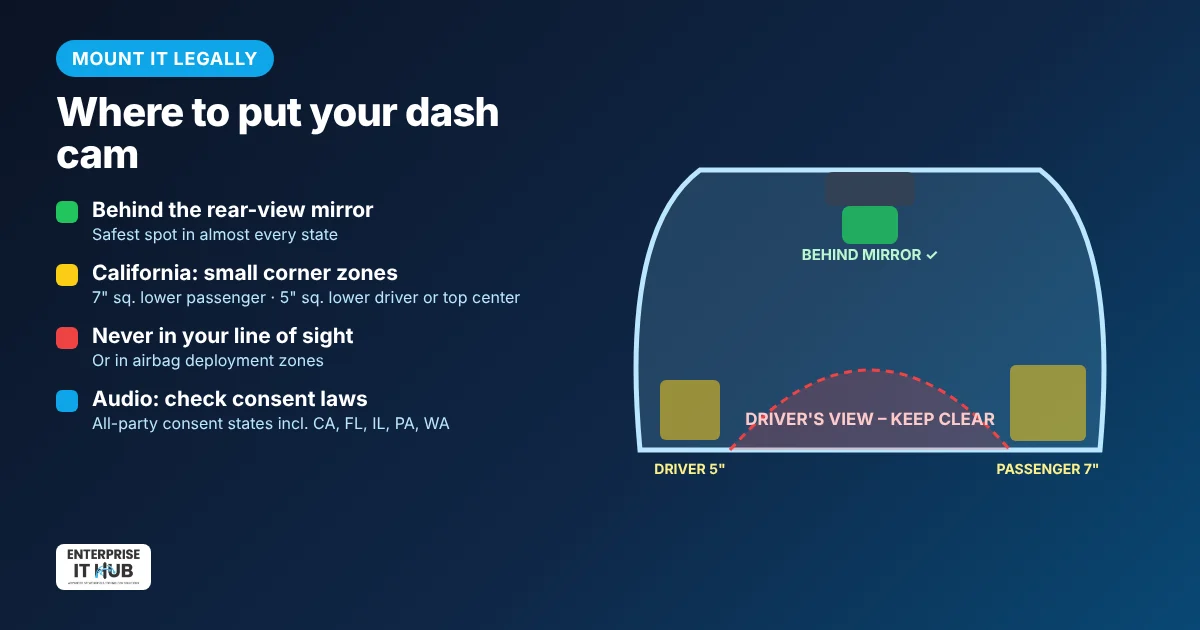
Dash cams are legal to own and use in all 50 states. The rules are about where you put it and whether it records audio.
- Don’t block your view. Many states ban objects that obstruct the driver’s view through the windshield. The safest spot in almost every state is behind the rear-view mirror.
- California allows a device in a 7-inch square in the lower passenger-side corner. It also allows a 5-inch square in the lower driver-side corner or at the top center of the windshield (California Vehicle Code §26708).
- Minnesota and some other states are stricter, so mount the camera directly behind or just around the mirror.
- Stay out of airbag zones and keep cables clear of side curtain airbags.
- Mirror dash cams avoid most windshield-placement issues, because they sit on the existing mirror.
Audio and cabin recording: Several states, including California, Florida, Illinois, Maryland, Massachusetts, Pennsylvania and Washington, require everyone being recorded to consent before a private conversation is recorded. If you drive passengers, turn the microphone off or post a clear “audio and video recording in progress” notice. Laws change, so check your state’s current rules. This guide isn’t legal advice.
How to install a dash cam in 15 minutes
- Pick the spot. Behind the rear-view mirror for a windshield camera, or strap a mirror dash cam over your existing mirror.
- Clean the glass with alcohol before you stick the mount on, and let the adhesive set.
- Route the power cable along the headliner, down the A-pillar trim (away from the airbag) and under the glovebox to the 12V socket.
- Mount the rear camera at the top center of the rear window and run its cable along the headliner to the front unit.
- Insert and format the microSD card in the camera, then set the date, time, loop length (1–3 minutes) and G-sensor sensitivity.
- Test it. Take a short drive, then play back the front, rear and night clips to check the angle.
Tip: Set G-sensor sensitivity to low or medium. On “high,” potholes can lock so many clips that the card fills with protected files.
While you’re upgrading your car, a magnetic wireless car charger vent mount keeps your phone charged and in view without another cable across the dash.
Which dash cam should you buy?
- Daily commuter or family car: a front and rear dash cam, or a mirror dash cam with front and rear cameras if you also want a bigger backup view.
- SUV, pickup or van with a blocked rear window: a mirror dash cam. The rear camera feed replaces a view that headrests and cargo usually block.
- Uber, Lyft, taxi or delivery driver: a 360° dash cam with cabin recording, set up to match your state’s audio-consent rules.
- Tight budget or second car: a front-only camera is better than nothing, but add a rear camera when you can.
Browse all our car and tech gadgets. For your home or shop, see our security cameras and smart locks.
Frequently asked questions
Is a front and rear dash cam worth it?
Yes, for most drivers. Rear-end collisions are among the most common crashes, and a front-only camera can’t record them. A rear camera also captures tailgating and hit-and-runs from behind.
Are dash cams legal in the US?
Yes, dash cams are legal in all 50 states. The rules cover where you mount the camera on the windshield and, in some states, whether you can record audio of passengers without their consent.
What is a mirror dash cam?
A mirror dash cam is a touchscreen that straps over your rear-view mirror. It records front and rear video at the same time and shows a live wide-angle feed from the rear camera. Many models also work as a backup camera.
Do dash cams record when the car is off?
Only in parking mode. Parking mode usually needs a hardwire kit connected to the fuse box with low-voltage protection. Without it, most dash cams turn off with the ignition.
How long does a dash cam record?
A dash cam records continuously while you drive and uses loop recording to overwrite the oldest clips when the card is full. How many hours of video fit depends on the card size, the resolution and the number of cameras. Clips locked by the G-sensor are kept.
Does a dash cam lower car insurance?
Most US insurers don’t give a direct discount for a dash cam. The real savings come from footage that proves you weren’t at fault, which can protect your premium after a crash.
Is a 360° dash cam better than a front and rear dash cam?
It depends on what you need. A 360° multi-lens dash cam is better for recording the cabin and side impacts, which suits rideshare drivers. A front and rear dash cam usually records the road ahead and behind in higher quality.
The bottom line
For most US drivers, a front and rear dash cam with good night vision, a G-sensor and loop recording is the smart buy. Choose a mirror dash cam for a clean install and a better rear view. Choose a 4-lens 360° dash cam if you carry passengers. Mount it behind the mirror, use a high-endurance card, and you’ll have proof when you need it.
Enterprise IT Hub ships across the US with free shipping on orders over $50, a tracking number on every order and 30-day hassle-free returns. See our shipping policy or track your order.

The Enterprise IT Hub team writes practical guides on enterprise storage, projectors, label printing and IT infrastructure.