
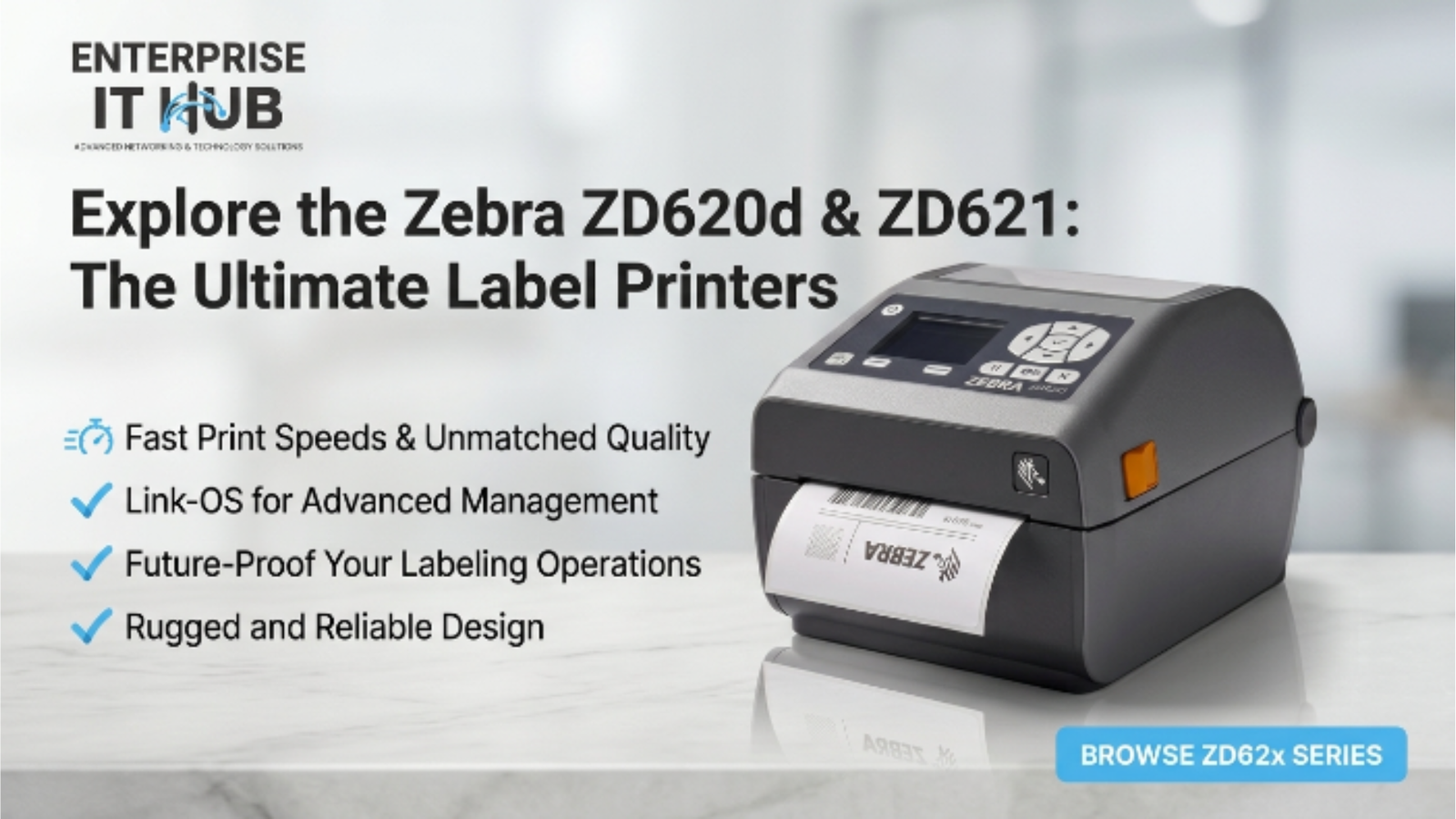
Explore the Zebra ZD620d & ZD621: The Ultimate Label Printers
Your warehouse is moving 3,000 orders a day. Your label printer jams on box 412. That’s not a printer problem — that’s a workflow crisis. The Zebra ZD620d & ZD621 were built specifically so that moment never happens.
Whether you’re running a distribution center in Ohio, a retail stockroom in London, or a healthcare facility in Toronto, you need label printers that print fast, print accurately, and don’t flinch at volume. Zebra’s ZD600 series delivers exactly that.
In this guide, we break down everything you need to know about the Zebra ZD620d & ZD621 — specs, use cases, key differences, and why they sit at the top of the enterprise labeling game in 2026.
Table of Contents
Why Label Printing Matters in 2026
The global label printing market is projected to exceed $68 billion by 2027, driven by e-commerce growth, pharmaceutical compliance mandates, and supply chain modernization. Businesses that invest in enterprise-grade label printers gain measurable throughput advantages — those that don’t fall behind on accuracy and compliance.
Thermal label printers have become the backbone of logistics operations. No ink cartridges, no ribbons (in direct thermal mode), minimal maintenance. Just fast, crisp labels every single time.
⚠️ ALERT: According to LabelingSolutions.com (opens in new tab), label errors cost the average mid-sized distribution center over $50,000 annually in re-labeling, chargebacks, and compliance failures. A printer upgrade often pays for itself inside 90 days.
That’s exactly where the Zebra ZD620d & ZD621 step in. They’re not budget printers dressed up in enterprise clothing — they’re purpose-built for demanding environments.
Zebra ZD620d: Direct Thermal Precision at Scale
The Zebra ZD620d is the workhorse of the ZD600 series. Direct thermal printing means no ribbon — the heat from the printhead activates the label coating directly. Fewer consumables, faster setup, lower cost-per-label.
It supports print resolutions of 203 dpi and 300 dpi, with print speeds reaching up to 6 inches per second (ips). For a desktop label printer, that’s seriously fast. It handles media widths up to 4.09 inches and is rated for continuous-duty operation in busy environments.
┌─────────────────────────────────────────────────────┐ │ ZEBRA ZD620d — PRINT WORKFLOW │ ├─────────────────────────────────────────────────────┤ │ [Host System] ──USB/ETH/BT──▶ [ZD620d Printer] │ │ ▼ ▼ │ │ [WMS / ERP] [Label Output — 6 ips] │ │ ▼ ▼ │ │ [ZPL Command] ─────────────▶ [Label Queue] │ │ ▼ │ │ [Direct Thermal Print] │ └─────────────────────────────────────────────────────┘
The ZD620d ships with a color LCD touchscreen, making it operator-friendly on the floor. No hunting through settings via a single LED indicator — your team sees status, media type, and error codes at a glance.
It also supports ZPL, ZPL II, and EPL2 programming languages, giving IT teams full flexibility to integrate with virtually any WMS, ERP, or POS system already in use.
🔴 KEY POINT: The ZD620d’s open architecture means it integrates cleanly with SAP, Oracle WMS, and Zebra’s own Zebra DNA suite — no middleware hacks required. That’s a big deal for enterprise IT teams managing complex stack integrations.
Zebra ZD621: The Upgrade That Changes Everything
The Zebra ZD621 is the ZD620d’s more capable sibling — and the differences matter a lot at scale. While the ZD620d handles direct thermal only, the ZD621 supports both direct thermal and thermal transfer printing. That means you can print on coated labels, polyester, and synthetic materials that require a ribbon — critical for labels that need to survive heat, moisture, and outdoor exposure.
The ZD621 also adds RFID encoding capability in its RFID model variant, which is a significant differentiator for healthcare, pharma, and high-value retail environments where item-level tracking is required by regulation or process design.
What’s New in the ZD621 vs Previous Generation
- Supports thermal transfer in addition to direct thermal
- Optional RFID encoding (UHF RFID, EPC Gen 2)
- Upgraded Link-OS for smarter device management
- Enhanced security features including data encryption at rest
- Improved media handling for thick/synthetic stocks
⚠️ PRO TIP: If you’re labeling items that will go through freezers, outdoor environments, or chemical exposure, the ZD621’s thermal transfer mode paired with polyester labels and resin ribbons gives you labels that last years — not days. Don’t cut corners on label durability.
The ZD621’s Link-OS platform also gives IT admins remote device management capabilities — firmware updates, configuration profiles, real-time diagnostics, and fleet monitoring across multiple printers without touching a single device physically. For multi-site operations, this is priceless.
ZD620d vs ZD621: Side-by-Side Comparison
Let’s cut through the spec sheets and give you a real, head-to-head breakdown of the Zebra ZD620d & ZD621. This is what actually matters when you’re making a purchase decision.
| Feature | Zebra ZD620d | Zebra ZD621 |
|---|---|---|
| Print Method | Direct Thermal only | Direct Thermal + Thermal Transfer |
| Max Resolution | 300 dpi | 300 dpi |
| Max Print Speed | 6 ips | 6 ips |
| Media Width | Up to 4.09″ | Up to 4.09″ |
| RFID Support | No | Optional (UHF RFID) |
| Connectivity | USB, Ethernet, Bluetooth, Wi-Fi | USB, Ethernet, Bluetooth, Wi-Fi |
| Display | Color LCD Touchscreen | Color LCD Touchscreen |
| ZPL / ZPL II | ✅ Yes | ✅ Yes |
| Link-OS Platform | ✅ Yes | ✅ Yes (Enhanced) |
| Best For | Shipping, warehouse, retail | Healthcare, pharma, cold-chain, RFID |
| Price Range | Mid-range | Mid-to-High |
Bottom line: if your labeling needs are standard — barcodes, shipping labels, retail tags — the ZD620d gets the job done beautifully. If you need thermal transfer flexibility or RFID encoding, the ZD621 is the clear choice.
Top Use Cases for Zebra ZD620d & ZD621
The Zebra ZD620d & ZD621 aren’t one-trick printers. They serve a wide range of industries and workflows. Here’s where they shine brightest.
Warehousing & Distribution
High-volume pick-and-pack operations need printers that keep up with conveyor-belt pace. At 6 ips, both models handle thousands of labels per shift without a hiccup. They mount easily at packing stations, integrate with WMS platforms, and print consistently even in dusty, high-traffic environments.
Retail & Point-of-Sale
Price marking, shelf labels, and product identification labels all flow through these machines cleanly. The compact footprint fits tight backroom setups. Retail managers love the touchscreen — associates can reload media and clear errors without calling IT.
Healthcare & Pharmaceuticals
This is where the Zebra ZD621 particularly earns its keep. Patient wristbands, specimen labels, medication labels — all demand precision, legibility, and often durability beyond a basic paper label. The ZD621’s thermal transfer mode plus optional RFID support means it’s compliant-ready for most hospital workflows.
For regulatory reference on healthcare label requirements, check PCMag’s Best Label Printers roundup (opens in new tab) — Zebra consistently tops enterprise categories.
Cold Chain & Food Processing
Labels that survive refrigeration, moisture, and temperature swings require thermal transfer printing on synthetic media. The ZD621 handles this natively. Lot codes, expiry dates, and trace labels on food packaging stay readable from factory floor to grocery shelf.
Connectivity, Software & Integration
Both the Zebra ZD620d and ZD621 come loaded with connectivity options that make enterprise integration straightforward, not painful.
| Interface | Available On | Best Use Case |
|---|---|---|
| USB 2.0 | Both models | Direct desktop connection, single-station setup |
| Gigabit Ethernet | Both models | Wired network printing, multi-user access |
| Wi-Fi 802.11ac | Optional | Wireless warehouse/floor deployment |
| Bluetooth 4.1 | Optional | Mobile printing via Zebra apps |
| Serial / Parallel | Via adapter | Legacy system integration |
Zebra’s Link-OS platform is the software engine that ties everything together. It enables remote management, virtual device staging, and real-time alerts. IT admins can push firmware updates to 50 printers simultaneously — a genuine time-saver in distributed operations.
Zebra also offers ZebraDesigner Pro for label design and ZBI (Zebra Basic Interpreter) for running standalone applications directly on the printer. That second feature is surprisingly powerful — it means the printer itself can run logic, not just receive print jobs.
For an independent evaluation of Zebra’s software ecosystem, Tom’s Guide (opens in new tab) regularly covers enterprise printing solutions and Zebra’s platform ranks among the top-tier options.
Products Available at Enterprise IT Hub
At enterpriseithub.com, we carry Zebra label printers built for exactly the kind of professional, high-volume environments described in this guide. Here are two models worth your attention right now.
Zebra GK420t Thermal Transfer Desktop Printer
- USB + Ethernet connectivity
- 203 dpi print resolution
- 5 ips print speed
- Supports ZPL, ZPL II, and EPL — broad system compatibility
- Handles both thermal transfer and direct thermal media
The GK420t is Zebra’s proven entry into desktop thermal transfer labeling — it’s the reliable workhorse for barcode labels, shipping labels, and warehouse tagging. No frills, no failures.$352.00
Zebra ZD421 Direct Thermal USB Label Printer
- USB interface, 203 dpi resolution
- Print width up to 4 inches
- Compact desktop footprint
- Easy media loading — drop-in design
- ZPL II compatible for seamless integration
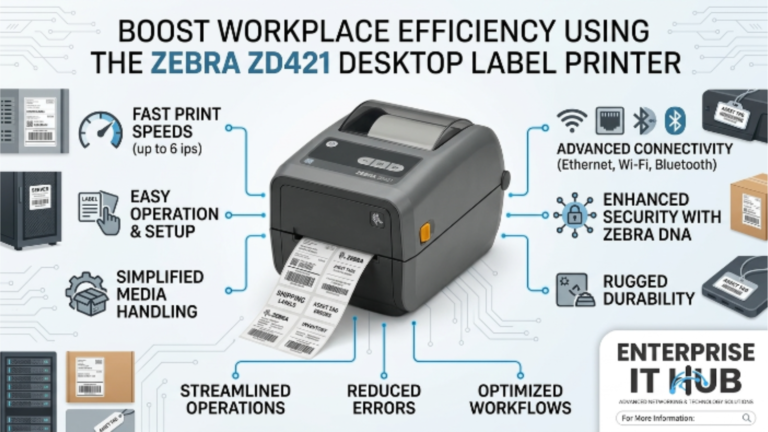
The ZD421 sits in the same lineage as the ZD620d & ZD621 — it’s Zebra’s compact option for desktop labeling in healthcare, retail POS, and light warehouse environments. If your team needs a nimble, reliable label printer without the full ZD600 footprint, this is it.$462.00
How to Choose the Right Label Printer
Not every operation needs the full ZD621 feature set. Here’s a step-by-step framework to match your needs to the right model.
- Define your media requirements. Do your labels need to survive moisture, chemicals, or extreme temperatures? If yes, you need thermal transfer (ZD621). If standard paper labels suffice, direct thermal (ZD620d) is more cost-effective.
- Estimate your daily print volume. Under 500 labels/day = ZD421 handles it. 500–5,000 labels/day = ZD620d. 5,000+ or multi-shift operations = ZD621 with full connectivity.
- Assess RFID requirements. If your operation tracks assets or products via RFID at item level, the ZD621 with RFID option is the only path that doesn’t require a separate encoder.
- Map your connectivity environment. Wired network on a fixed station? Ethernet is sufficient. Mobile printing carts or fork-truck mounts? Wi-Fi or Bluetooth options on the ZD600 series deliver.
- Check software stack compatibility. Both models support ZPL II — the universal language of enterprise label printing. If your WMS already outputs ZPL, you’re plug-and-play ready.
- Consider your IT management overhead. Single printer: minimal overhead. 10+ printers across sites: Link-OS remote management pays dividends immediately.
- Calculate total cost of ownership. Direct thermal has lower consumable costs (no ribbon). Thermal transfer costs more per label but extends label life dramatically. Match cost model to your shelf-life requirements.
✅ Quick Reference Checklist
Before You Buy — Zebra ZD620d & ZD621 Evaluation Checklist
✓
Determined whether direct thermal or thermal transfer is required for my label media
✓
Confirmed daily print volume to match the right model tier
✓
Verified connectivity requirements (USB, Ethernet, Wi-Fi, Bluetooth)
✓
Checked if RFID encoding is required — ZD621 RFID model if yes
✓
Confirmed WMS/ERP supports ZPL or ZPL II output for seamless integration
✓
Reviewed Zebra Link-OS for remote fleet management needs
✓
Confirmed label dimensions and media type compatibility
✓
Checked regulatory compliance requirements (healthcare, food, pharma)
✓
Reviewed total cost of ownership: consumables, maintenance, support
✓
Compared ZD421 / GK420t available at enterpriseithub.com as cost-efficient alternatives
Frequently Asked Questions
Q: What is the difference between the Zebra ZD620d and ZD621?
The ZD620d is a direct thermal-only label printer, ideal for standard paper labels in warehousing, shipping, and retail. The ZD621 adds thermal transfer capability — meaning it can print on synthetic, polyester, and other durable media using a ribbon. The ZD621 also offers optional UHF RFID encoding, making it the stronger choice for healthcare, pharmaceutical, and cold-chain environments.
Q: Are the Zebra ZD620d & ZD621 compatible with ZPL?
Yes. Both the ZD620d and ZD621 are fully compatible with ZPL and ZPL II — Zebra’s native programming language supported by virtually every major WMS, ERP, and POS platform. If your system already generates ZPL print jobs, integration is plug-and-play.
Q: What print speed do the Zebra ZD620d & ZD621 support?
Both models support print speeds up to 6 inches per second (ips) at standard resolutions. At 300 dpi, speed slightly reduces but still outperforms most competing desktop label printers. For high-volume operations running multiple shifts, this throughput is genuinely impressive for a desktop-class machine.
Q: Can the Zebra ZD621 print RFID labels?
Yes — the ZD621 is available in an RFID-enabled configuration that supports UHF RFID encoding to the EPC Gen 2 standard. This allows it to simultaneously print a human-readable barcode label and encode an embedded RFID inlay in a single pass. This is critical for pharmaceutical track-and-trace, hospital asset management, and retail inventory systems.
Q: What connectivity options are available on the Zebra ZD600 series?
Both the ZD620d and ZD621 come standard with USB 2.0 and Gigabit Ethernet. Optional modules add Wi-Fi 802.11ac and Bluetooth 4.1, enabling full flexibility from fixed-station printing to wireless mobile workflows. Serial/parallel connectivity is available via optional adapters for legacy system integration.
Conclusion
The Zebra ZD620d & ZD621 represent the benchmark for desktop label printing in enterprise environments. They’re not the cheapest options on the market — and they’re not trying to be. They’re purpose-built for operations where label accuracy, uptime, and integration depth directly impact business performance.
The ZD620d handles the majority of warehouse, retail, and shipping use cases with clean, fast direct thermal output. The ZD621 extends that capability to thermal transfer, RFID, and compliance-critical environments. Together, they cover virtually every label printing scenario a modern business operation faces.
If you’re ready to step into that performance tier but want a proven Zebra model that’s available now, the Zebra ZD421 at $462 and the Zebra GK420t at $352 — both stocked at enterpriseithub.com — are excellent entry points into the Zebra ecosystem. Same DNA. Same reliability. Right now, in stock, ready to ship.
One Comment