



Description
Go Cable-Free with Your Car’s Built-In CarPlay
Many cars from the last several years have Apple CarPlay or Android Auto, but only through a USB cable. This wireless adapter gives you the cable-free convenience found in newer premium vehicles. You don’t need to replace your head unit or pay a dealer. Just plug in, pair, and drive.
Key Features
- Wired to wireless in seconds. Removes the phone cable from your existing factory CarPlay or Android Auto system.
- 2-in-1 support. One adapter works with both Apple CarPlay (iPhone) and Android Auto (Samsung, Google Pixel, and more).
- Plug & play setup. No app download, no installation, and no changes to your car’s system.
- Fast auto-reconnect. Links to your phone on its own each time you start the car.
- Mini, near-flush design. Small enough to stay plugged in without cluttering the dashboard.
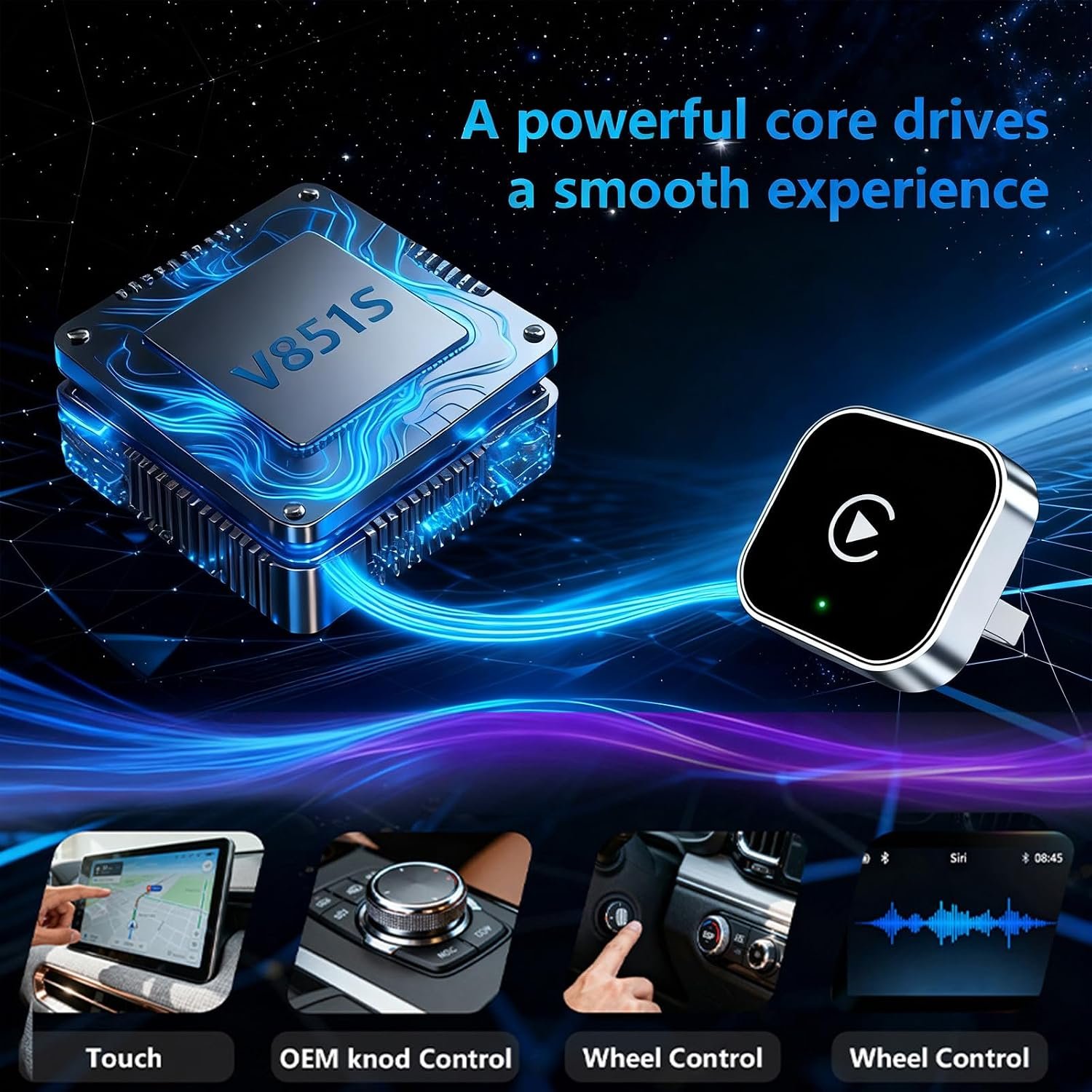
- Keeps your OEM controls. Touchscreen, steering-wheel buttons, Siri, and Google Assistant all keep working.
- Dual-band WiFi + Bluetooth for smooth, low-latency maps, music, and calls.
- Lifetime OTA firmware updates to stay compatible with new iOS and Android releases.
- USB-A plug that fits standard car USB ports.
How Does a Wireless CarPlay Adapter Work?
The adapter plugs into your car’s CarPlay USB port, and your car treats it as a wired phone. Your phone then connects to the adapter wirelessly: Bluetooth handles the first handshake, and a direct WiFi link carries the screen, audio, and touch data. The result looks and feels the same as wired CarPlay, without the cable.
Easy 3-Step Setup
- Plug the adapter into the USB port your car uses for CarPlay or Android Auto.
- Pair your phone over Bluetooth and accept the CarPlay or Android Auto prompt.
- Drive. From then on, the adapter reconnects automatically when you start the car.
Compatibility – Check Before You Buy
- ✅ Cars with factory-installed wired Apple CarPlay or Android Auto
- ✅ iPhone 6 or newer running iOS 10 or later
- ✅ Android phones on Android 11 or later that support wireless Android Auto
- ❌ Not for cars without built-in CarPlay or Android Auto (the adapter cannot add these systems)
- ❌ Not for aftermarket Android head units
- ❌ Not needed for cars that already have wireless CarPlay built in
Built for Daily Drivers, Rideshare, and Commuters
If you make short trips, plugging and unplugging a cable gets tiresome quickly, and cables wear out. With this adapter, your phone stays in your pocket or on a wireless charging pad, and navigation, calls, and music start automatically. It’s especially useful for rideshare and delivery drivers who get in and out of the car all day.
Why a Stable Wireless Link Matters
The adapter uses a direct WiFi connection to your phone. Interference from nearby devices can cause audio stutter or a lagging map. A dual-band chipset reduces that interference, which keeps performance smooth even in busy city traffic. To learn more about how WiFi bands affect speed and stability, read our dual-band WiFi networking guide.
Safer, Hands-Free Driving
With navigation, calls, and messages on the car display and controlled by voice, your eyes stay on the road and your hands on the wheel. There’s no reaching for a phone or a tangled cable while driving.
Technical Specifications
| Product Type | Wireless CarPlay & Android Auto Adapter (2-in-1) |
|---|---|
| Function | Converts factory wired CarPlay & Android Auto to wireless |
| Supported Systems | Apple CarPlay, Android Auto |
| iPhone Compatibility | iPhone 6 and newer, iOS 10+ |
| Android Compatibility | Android 11+ with wireless Android Auto support |
| Vehicle Requirement | Factory-installed wired CarPlay / Android Auto |
| Connector | USB Type-A |
| Wireless | Dual-band WiFi + Bluetooth |
| Setup | Plug & play, no app required |
| Auto-Reconnect | Yes |
| Firmware | OTA updates supported |
| Package Dimensions | 4.02 × 2.87 × 1.06 in |
| In the Box | 1× Wireless CarPlay Adapter, 1× User Manual |
Frequently Asked Questions
Will this wireless CarPlay adapter work in my car?
It works only if your car already supports wired Apple CarPlay or Android Auto through a USB cable. If your car has neither, the adapter cannot add them. Check your car’s manual or connect your phone with a cable first to confirm.
Does one adapter work with both iPhone and Android?
Yes. It is a 2-in-1 adapter that supports Apple CarPlay on iPhone (iOS 10+) and Android Auto on Android phones running Android 11 or later.
How do I switch from CarPlay to Android Auto?
The adapter starts in CarPlay mode by default. To use Android Auto, first make sure Android Auto is enabled in your car’s settings. Then pair your Android phone over Bluetooth and accept the Android Auto prompt on screen.
Is there any lag or audio delay?
For maps, calls, and music, latency is minimal. You may notice a small delay when skipping tracks, which is normal for every wireless CarPlay system, including factory-installed ones.
Do I need to pair my phone every time?
No. Pair it once, and the adapter reconnects automatically within seconds each time you start the car.
Will wireless CarPlay drain my phone battery?
Wireless CarPlay uses more battery than wired, because your phone is no longer charging through the cable. On long drives, use a wireless charging pad or car charger.
Does it work with Tesla?
No. Tesla vehicles do not have factory CarPlay or Android Auto, so the adapter has nothing to connect to.
Do steering-wheel controls and Siri still work?
Yes. Your car’s touchscreen, steering-wheel buttons, voice assistant, and microphone all keep working as they do with the wired connection.
Do I need to install an app?
No. The adapter is plug and play. Just enable Bluetooth and WiFi on your phone during the first pairing.
What if it stops working after an iPhone or Android update?
The adapter supports OTA firmware updates that fix compatibility with new iOS and Android versions. Update the firmware and reconnect your phone.
Is a wireless CarPlay adapter secure?
Yes. The adapter creates a private, password-protected WiFi link only between your phone and your car. It does not connect to the internet by itself. As with any connected device, keep the firmware up to date. Learn more in our IoT device security guide.
Can I leave the adapter plugged in all the time?
Yes. Its mini design is made to stay in the USB port permanently. It powers on and off with your car.
Reviews
There are no reviews yet.