Zebra ZP450 Barcode Label Printer: Features & Benefits Unveiled
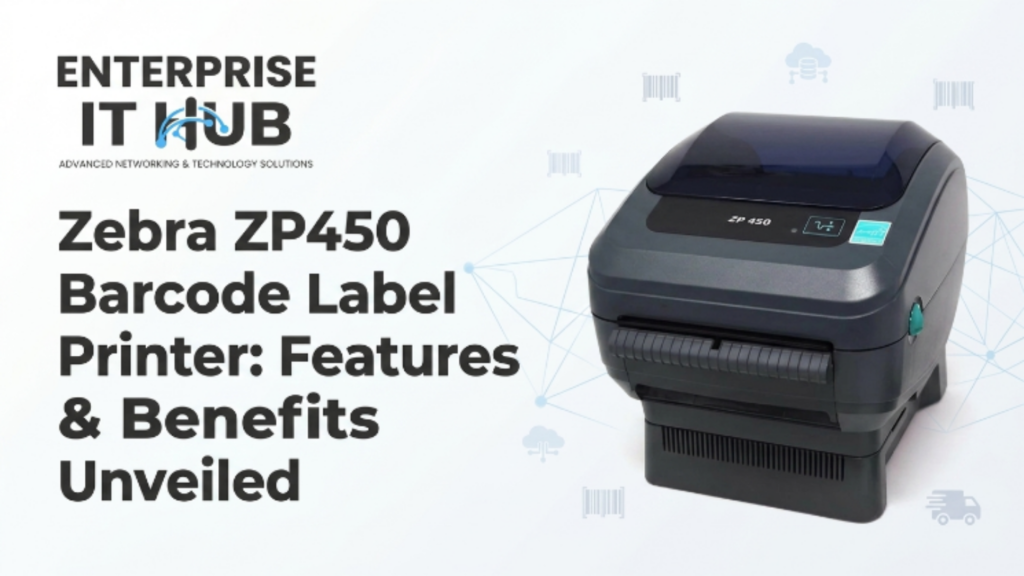
The Zebra ZP450 defined a generation of label printing — here’s why it still gets talked about in warehouses, shipping docks, and retail back offices across the US.
You’ve got 500 orders queued. Labels need to print fast, clean, and without a single jam. That’s not the time to second-guess your printer. That’s the moment when industrial-grade hardware either earns its place on the bench — or costs you the whole afternoon.
The Zebra ZP450 built its reputation exactly in that environment. It became a staple for UPS, FedEx, Amazon sellers, and SMB shipping operations for one reason: it just works. Fast direct thermal printing, no ribbons, no fuss, and a footprint small enough to live on any packing station.
This article breaks down everything — the key features, real-world benefits, how it stacks up against competitors, and who should actually be running one in 2026.
Why Barcode Label Printing Still Matters in 2026
The barcode label isn’t going anywhere. In fact, the global barcode printer market is projected to exceed $4.5 billion by 2027, driven by e-commerce growth, warehouse automation, and healthcare compliance requirements. Every pallet shipped, every medication dispensed, every retail item tracked — it starts with a label.
Direct thermal printing, the technology behind the Zebra ZP450, remains the dominant choice for shipping and logistics. No ink. No ribbon. Just heat on label stock. That means fewer consumables, lower operating costs, and less maintenance overhead for busy ops teams.
⚠️ ALERT: Businesses still running inkjet or laser for shipping labels are paying 3–5x more per label in consumables alone. Direct thermal is the cost-efficient standard — and Zebra helped set it.
Key Features of the Zebra ZP450
The Zebra ZP450 is a direct thermal desktop label printer built for high-volume, everyday use. Here’s what’s under the hood:
Print Resolution: 203 dpi — sharp enough for 1D barcodes, shipping labels, and QR codes with clean scan results.
Print Speed: Up to 5 inches per second. That’s a label out the door before the packing tape is cut.
Label Width: Supports labels from 1.5″ to 4.09″ wide — covers everything from small product labels to full 4×6 shipping labels.
Connectivity: USB and parallel port. Works plug-and-play with ShipStation, Shippo, Pirateship, eBay, Etsy, and all major shipping platforms.
Operating System Support: Windows XP through Windows 11 — and it still works with most modern label software with the right driver.
Design: Compact, clamshell-style loading, easy drop-in label rolls.
┌─────────────────────────────────────────┐
│         ZEBRA ZP450 — SPECS AT A GLANCE │
├──────────────────┬──────────────────────┤
│ Print Technology │ Direct Thermal        │
│ Resolution       │ 203 dpi               │
│ Print Speed      │ Up to 5 ips           │
│ Max Label Width  │ 4.09"                 │
│ Connectivity     │ USB + Parallel        │
│ Label Length     │ 2" – 39"              │
│ Memory           │ 8MB Flash / 8MB SDRAM │
│ Languages        │ ZPL II, EPL2          │
└──────────────────┴──────────────────────┘
🔴 KEY POINT: The ZP450 uses Zebra’s ZPL II and EPL2 label languages — the same command languages used across Zebra’s entire printer lineup. That means templates and scripts built for ZP450 are portable to other Zebra hardware.
Benefits of Using the Zebra ZP450 for Businesses
The Zebra ZP450 isn’t just feature-rich — it delivers real, measurable operational value. Here’s why it became the go-to in fulfillment centers and retail stockrooms:
1. Zero Consumables Overhead Direct thermal means no ink cartridges, no toner, no ribbons. You buy label rolls — that’s it. For businesses printing hundreds of labels daily, this alone slashes monthly printing costs significantly.
2. Reliability Under Load The ZP450 was engineered for high-duty cycles. Shipping operations running 8–12 hour shifts don’t have time for overheating or paper jams. This printer handles continuous runs without complaint.
3. Platform Compatibility It works with virtually every major e-commerce and shipping platform out of the box. Shopify, WooCommerce, Amazon Seller Central, UPS WorldShip — the ZP450 integrates without custom configuration.
4. Low Learning Curve New staff can be trained on it in under five minutes. Drop in the label roll, close the clamshell, hit print. That’s the entire workflow.
5. Small Footprint At roughly 7″ wide, it fits on a cluttered packing station without dominating the desk. That matters in tight warehouse or retail environments.
⚠️ PRO TIP: If you’re printing 4×6 shipping labels, always use direct thermal label stock rated for your storage conditions. High-heat environments (like loading docks in summer) can pre-activate thermal labels. Store rolls in a cool, dry location.
How the Zebra ZP450 Enhances Operational Efficiency
Efficiency isn’t just about speed — it’s about eliminating friction across the entire label printing workflow. The Zebra ZP450 does this on multiple fronts.
Batch Printing Without Babysitting Queue up 200 labels, walk away. The ZP450 handles the run cleanly. No jams mid-batch, no driver crashes, no reprints needed. That frees your staff to focus on packing and dispatch instead of managing the printer.
Consistent Scan Quality Poorly printed barcodes cost time. Every carrier scan failure, every retail checkout error, every inventory lookup that comes back blank — those trace back to print quality. At 203 dpi with direct thermal, the ZP450 produces labels that scan first time, every time.
Driver Ecosystem Zebra’s driver support is extensive and well-documented. IT managers at SMBs don’t have to fight with proprietary software or track down obscure firmware files. The printer connects, the driver installs, and it works.
Reduced Downtime Fewer moving parts means fewer failure points. No ink heads to clog, no ribbon mechanisms to jam. The mechanical simplicity of direct thermal printing translates directly into uptime.
According to Zebra Technologies’ own productivity research (opens in new tab), businesses that standardize on direct thermal label printing report up to 30% reduction in label-related workflow errors compared to manual or inkjet-based alternatives.
Comparing the Zebra ZP450 with Other Barcode Label Printers
The Zebra ZP450 doesn’t exist in a vacuum. Here’s how it compares against relevant alternatives — and two modern Zebra printers you can actually buy today.
| Feature | Zebra ZP450 | Zebra GK420t | Zebra ZD421 |
|---|---|---|---|
| Print Technology | Direct Thermal | Thermal Transfer + DT | Direct Thermal |
| Resolution | 203 dpi | 203 dpi | 203 dpi |
| Print Speed | 5 ips | 5 ips | 4 ips |
| Connectivity | USB + Parallel | USB + Ethernet | USB |
| Label Width | Up to 4.09″ | Up to 4.09″ | Up to 4″ |
| Best For | High-vol shipping | Industrial/warehouse | Desktop/retail/healthcare |
| Availability | Legacy/refurb market | ✅ Available | ✅ Available |
The Zebra GK420t is the natural successor to the ZP450 in professional environments. It adds Ethernet connectivity for shared network printing — critical for teams where multiple packing stations pull from one printer. It supports both thermal transfer and direct thermal, giving you label media flexibility. It’s available at Enterprise IT Hub for $352.00 and handles ZPL/EPL natively, so existing label templates migrate without changes.
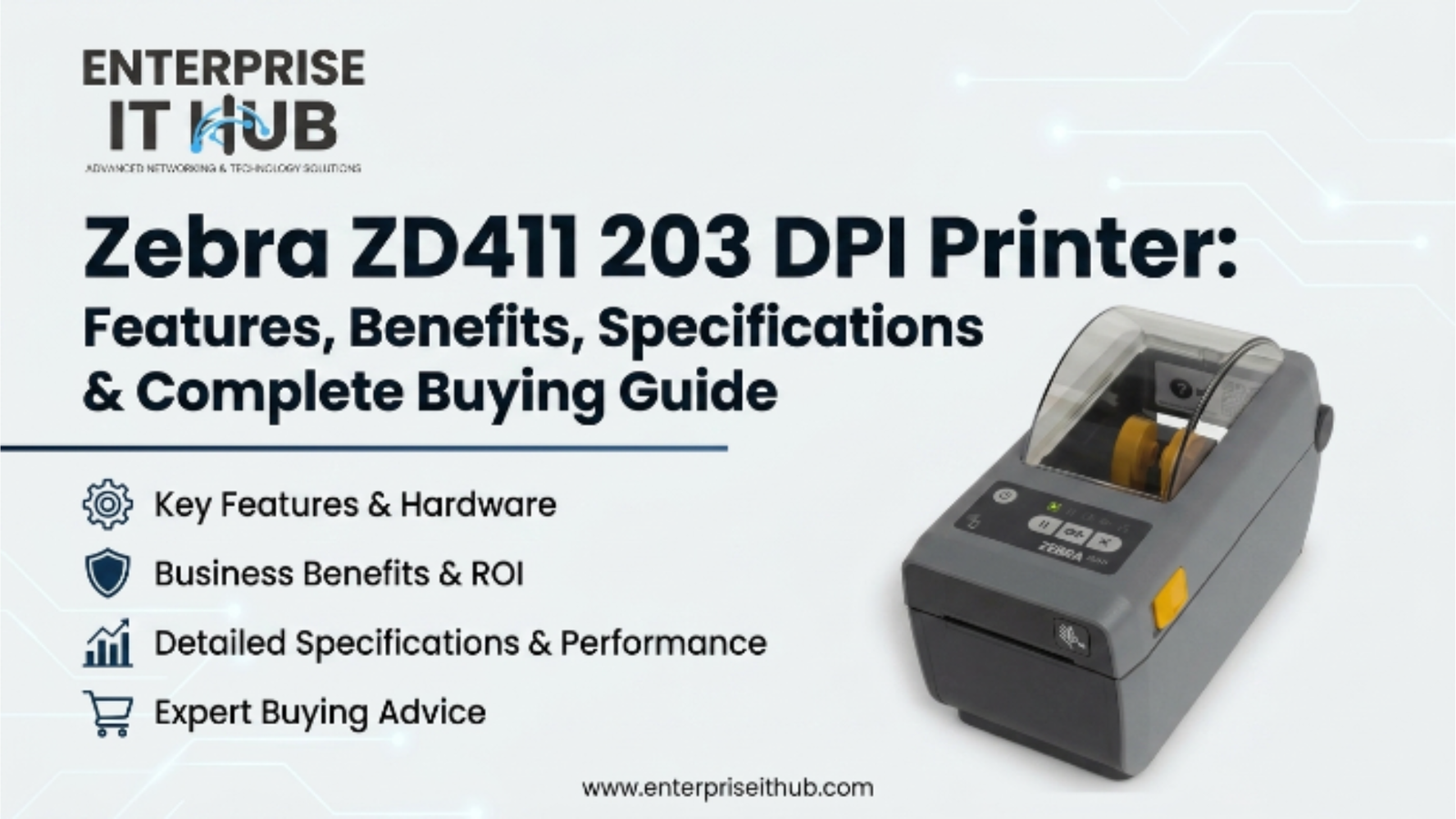
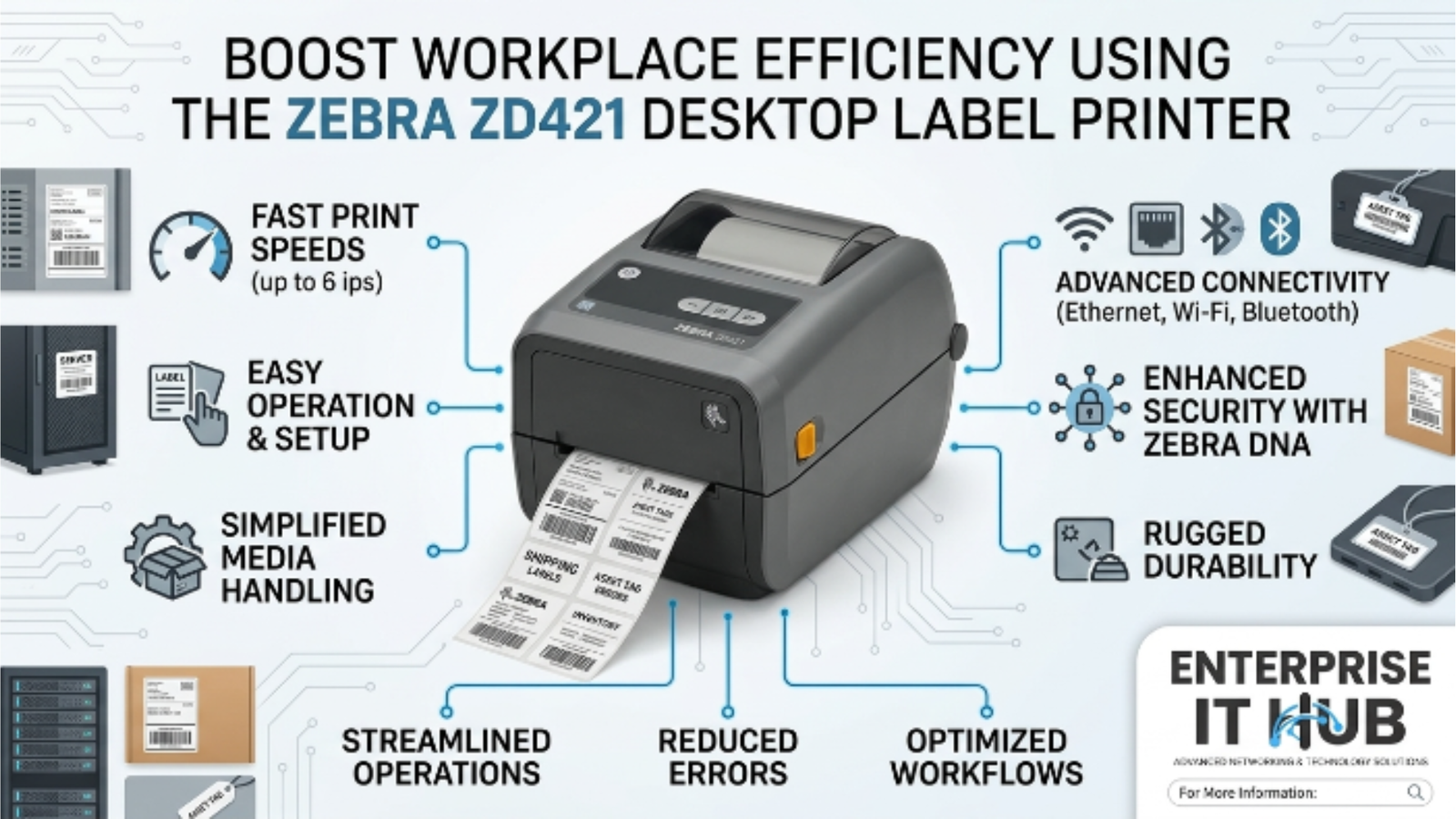
For smaller desktop environments — retail POS, healthcare labeling, light warehousing — the Zebra ZD421 offers a compact, modern footprint with USB connectivity, 203 dpi resolution, and ZPL II compatibility. At $462.00, it’s a future-ready option that doesn’t require a legacy driver stack.
You can view both printers at enterpriseithub.com.
For an independent take on thermal label printer performance benchmarks, Tom’s Guide covers label printer testing in depth (opens in new tab).
Setup and Installation Guide for the Zebra ZP450
Getting the Zebra ZP450 up and running takes under 10 minutes. Follow this sequence:
- Download the correct driver — Visit Zebra’s support site and download the ZP450 driver package for your Windows version. Use the ZDesigner driver for best compatibility.
- Connect via USB — Plug in before installing the driver if using USB. Windows will detect the device and prompt for the driver.
- Load the label roll — Press the top release button, open the clamshell, drop in the label roll so it feeds from the bottom, thread under the media guide, close the lid.
- Calibrate the media — Hold the Feed button for 2 seconds until the printer feeds 2-3 labels. This calibrates the sensor to your label size.
- Set label size in driver — Open the ZDesigner driver settings, set your label dimensions (e.g., 4×6 for shipping labels).
- Test print — Print a test label from Windows Devices and Printers. Verify barcode quality and label alignment.
- Configure in your shipping platform — In ShipStation, Shippo, or your platform of choice, set the ZP450 as the default label printer and confirm label format (4×6 PNG or PDF).
⚠️ PRO TIP: If labels are printing offset or partially cut off, recalibrate the media sensor. Hold the Feed button for 4 seconds (longer press) to trigger a full auto-calibration cycle.
Maintenance Tips for Longevity of the Zebra ZP450
The Zebra ZP450 is built tough, but proper maintenance keeps it printing cleanly for years. Here’s the routine that matters:
Clean the Print Head Monthly Use an IPA (isopropyl alcohol) cleaning pen or swab on the thermal print head. Label residue builds up over time and causes streaky or faded prints. This single step prevents 80% of print quality issues.
Check the Platen Roller The rubber platen roller feeds labels through the mechanism. Inspect it quarterly for wear or label adhesive buildup. A worn platen causes misfeeds and skipped labels.
Keep the Interior Clean Label dust and adhesive particles accumulate inside the clamshell. Compressed air and a dry cloth every few weeks prevents sensor interference.
Store Label Rolls Correctly Thermal label stock is heat-sensitive. Store rolls away from direct sunlight, heat vents, and humid environments. Degraded label stock causes false sensor reads and print failures.
Update Firmware Periodically Zebra releases firmware updates that improve stability and driver compatibility. Check Zebra’s support portal once or twice a year.
For detailed maintenance procedures, Zebra’s official documentation and label printing best practices (opens in new tab) is the most authoritative source.
Real-World Applications of the Zebra ZP450
The Zebra ZP450 has earned its reputation across a remarkably diverse range of use cases:
E-Commerce Fulfillment The most common home. Amazon, eBay, and Etsy sellers running 50–500 orders per day rely on the ZP450 to crank out 4×6 shipping labels for USPS, UPS, FedEx, and DHL. It handles the volume without complaint.
Retail Back Office Price tags, shelf labels, SKU stickers, return labels — small retail operations use the ZP450 for all of it. The label width flexibility means one printer covers multiple label formats.
Healthcare and Pharmacy Patient wristbands, specimen labels, medication tracking — the ZP450’s print clarity at 203 dpi meets the accuracy requirements for healthcare labeling workflows.
Inventory Management Warehouses use it to print bin labels, pallet labels, and receiving documentation. Integrates cleanly with inventory management platforms via ZPL commands.
Event and Ticketing Event management companies use direct thermal printers for entry tickets, badges, and wristbands. Fast, clean, no smearing.
Manufacturing and QC Part identification, work-in-progress tracking, and shipping manifests. The ZP450 sits on the line and keeps documentation moving.
Customer Reviews and Testimonials
Real-world users have a lot to say about the Zebra ZP450. The consensus across verified reviews on major platforms tells a consistent story:
What users love:
- Rock-solid reliability over multi-year deployments
- Near-zero maintenance requirements once properly set up
- Compatibility with every major shipping software platform
- Simple label loading that even temporary warehouse staff can manage
- Print quality that passes carrier barcode scans consistently
Common criticisms:
- USB + parallel only — no Ethernet, which limits shared network printing
- Legacy driver stack can require some patience on modern Windows installs
- Not designed for thermal transfer — labels may fade over time in high-UV environments
One verified Amazon seller review summarizes the field experience well: running 300+ labels per day across a peak holiday season with zero jams and zero reprints. That kind of reliability is why the ZP450 developed such a loyal user base — and why many operations still run them today alongside newer hardware.
For deeper user sentiment analysis and printer comparisons from independent testers, RTINGS.com’s printer coverage (opens in new tab) is worth bookmarking.
How to Choose the Right Label Printer
If you’re evaluating whether the Zebra ZP450 — or a current alternative — fits your operation, work through these steps:
- Assess your daily volume. Under 100 labels/day? A compact desktop printer works. Over 300? You need a duty-cycle-rated machine.
- Determine connectivity needs. Solo workstation? USB is fine. Multiple packing stations? Look for Ethernet (the Zebra GK420t delivers this).
- Identify your label formats. If you only print 4×6 shipping labels, direct thermal is ideal. If you need durable tags or heat-resistant labels, consider thermal transfer.
- Check software integration. Confirm your shipping or WMS platform lists the printer as a supported device.
- Plan for growth. If you’re scaling, invest in a printer that supports network printing and higher duty cycles now — don’t buy yourself a bottleneck.
- Budget for total cost. Factor in label stock costs, not just hardware price. Direct thermal = no ribbon spend.
✅ Quick Reference Checklist
ZEBRA ZP450 — SETUP & OPERATION CHECKLIST

SETUP
[ ] Downloaded correct ZDesigner driver for your Windows version
[ ] Connected via USB before driver installation
[ ] Label roll loaded correctly (feeds from bottom)
[ ] Media sensor calibrated (2-second Feed button hold)
[ ] Label dimensions set in driver settings
[ ] Test print completed and barcode scanned successfully
[ ] Set as default printer in shipping platform

DAILY OPERATION
[ ] Label stock loaded and feeding cleanly
[ ] No error lights on printer panel
[ ] Test label scans correctly before batch printing
[ ] Batch queue confirmed in shipping platform

MONTHLY MAINTENANCE
[ ] Print head cleaned with IPA swab
[ ] Interior dusted with compressed air
[ ] Platen roller inspected for wear or residue
[ ] Label stock stored in cool, dry location

QUARTERLY CHECK
[ ] Firmware version checked against Zebra support portal
[ ] Driver updated if new version available
[ ] Print quality benchmark label printed and archived
Frequently Asked Questions
Q: Is the Zebra ZP450 still worth buying in 2026? A: For basic 4×6 shipping label operations, a well-maintained ZP450 still performs reliably. However, it’s a legacy product — no longer in active production. If you’re buying new hardware, the Zebra GK420t or Zebra ZD421 offer better connectivity, current driver support, and manufacturer warranty coverage. They’re the smart buy for new deployments.
Q: What label size does the Zebra ZP450 use? A: The ZP450 supports label widths from 1.5″ to 4.09″. The most common format is 4×6 inch direct thermal labels — the standard for USPS, UPS, FedEx, and DHL shipping labels.
Q: Does the Zebra ZP450 work with ShipStation and Shopify? A: Yes. The ZP450 is natively supported by ShipStation, Shippo, Pirateship, Shopify Shipping, eBay, Etsy, and most major e-commerce platforms. Configure it as a 4×6 label printer in your platform’s settings.
Q: What’s the difference between direct thermal and thermal transfer? A: Direct thermal uses heat-sensitive label stock — no ribbon required. Labels are cheaper and faster to print but can fade in UV light or heat over time. Thermal transfer uses a ribbon to melt ink onto the label — more durable but adds ribbon cost. For shipping labels (discarded after delivery), direct thermal is the practical choice.
Q: What are the best current alternatives to the Zebra ZP450? A: The Zebra GK420t is the direct successor for warehouse and industrial use — it adds Ethernet and thermal transfer support at $352.00. The Zebra ZD421 suits compact desktop environments with a modern design at $462.00. Both use ZPL II, so any label templates built on ZP450 carry over cleanly.
Conclusion: Is the Zebra ZP450 Right for You?
The Zebra ZP450 earned its reputation the hard way — millions of labels, thousands of warehouses, years of continuous operation. It’s a testament to what purpose-built hardware looks like when it’s done right.
If you’re inheriting an existing ZP450 installation or sourcing a unit on the refurbished market, it remains a capable printer for standard shipping label workflows. Get the driver sorted, calibrate the media, and it’ll handle the volume.
But if you’re building out a new label printing operation in 2026, buy current. The Zebra GK420t at $352.00 gives you everything the ZP450 offers — plus Ethernet for shared printing, thermal transfer capability, and active manufacturer support. For smaller desktop deployments, the Zebra ZD421 at $462.00 is compact, modern, and future-proof.
Both are available at enterpriseithub.com — the right hardware, ready to ship.

The Enterprise IT Hub team writes practical guides on enterprise storage, projectors, label printing and IT infrastructure.