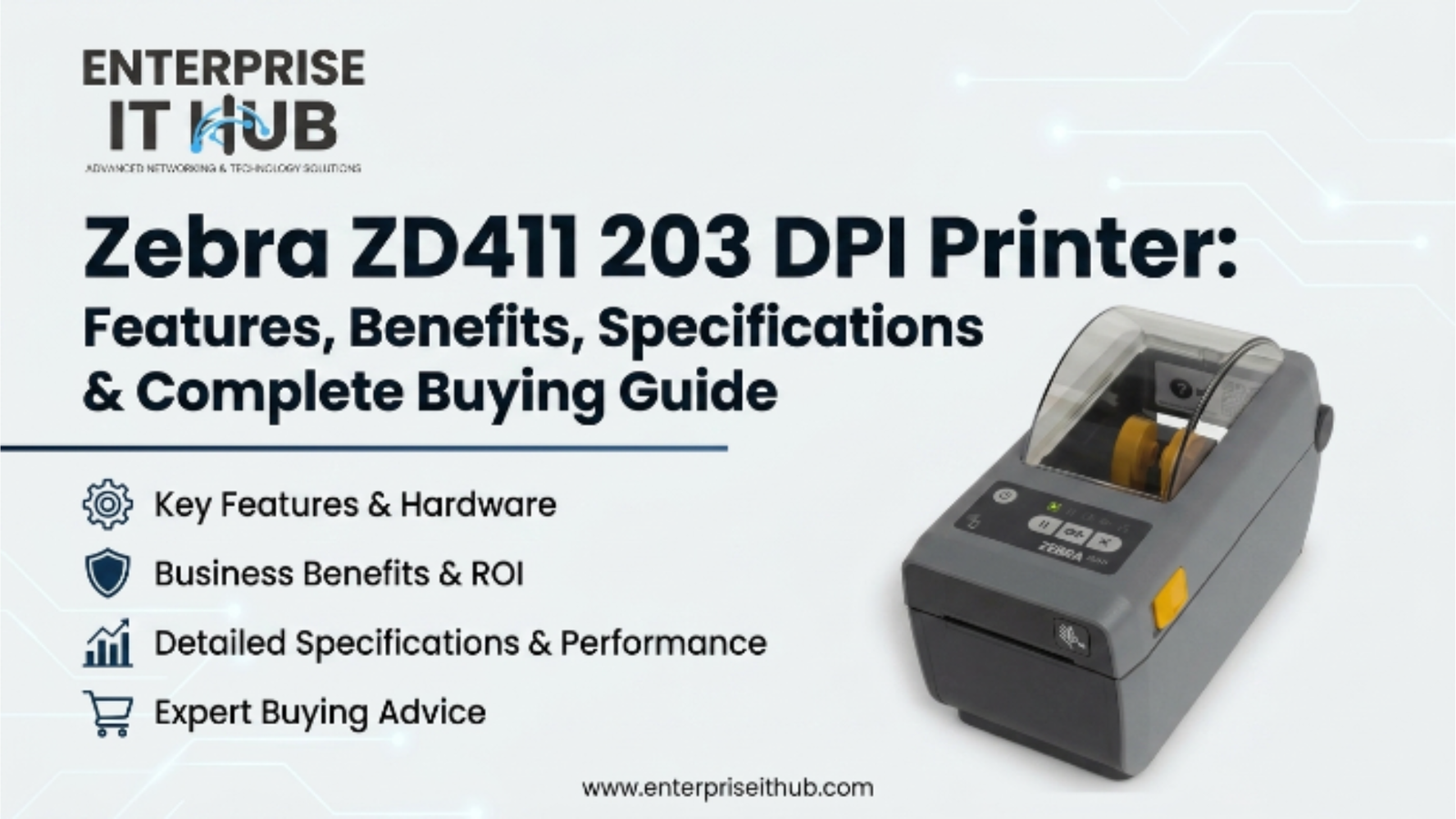
Zebra ZD411 203 DPI Printer: Features, Benefits, Specifications & Complete Buying Guide
The Zebra ZD411 203 DPI printer is redefining compact label printing — and if you’re still running outdated desktop printers, you’re leaving efficiency on the table.
You’re managing a warehouse, a healthcare intake desk, or a busy retail backroom. Labels need to print fast, read clean, and never jam mid-shift. The Zebra ZD411 203 DPI printer was built for exactly that environment. Compact body. Serious throughput. The kind of reliability that IT managers actually sleep well knowing is deployed across their operations.
This guide breaks down everything — specs, features, use cases, buying tips, and how the ZD411 compares against the broader Zebra desktop printer lineup. Whether you’re purchasing one unit or rolling out 50, this is the complete reference you need.
Table of Contents
Why the Zebra ZD411 203 DPI Printer Matters in 2026
Label printing has never been more mission-critical. Supply chains are leaner, compliance requirements are tighter, and downtime costs more than it ever did.
The global label printer market is projected to exceed $5.8 billion by 2027, driven almost entirely by warehouse automation, healthcare barcoding mandates, and e-commerce fulfillment growth. Zebra Technologies holds the largest enterprise market share in that space — and the ZD411 is their answer to the demand for compact, network-ready thermal label printers.
⚠️ ALERT: According to industry data, label misreads and print failures cost warehouses an average of $4,000 per hour in lost productivity. Choosing the right printer — with the right DPI for your label type — is an operational decision, not just a hardware one.
At 203 DPI, the ZD411 hits the sweet spot for standard barcode labels, shipping labels, and compliance tags. It’s not overkill for simple tasks, and it’s not underpowered for demanding environments. That balance is exactly why IT buyers keep coming back to the Zebra platform.
Zebra ZD411 203 DPI Printer: Full Specifications
Let’s get into the numbers. Here’s what the ZD411 203 DPI brings to the table:
| Specification | Detail |
|---|---|
| Print Technology | Direct Thermal |
| Print Resolution | 203 DPI (8 dots/mm) |
| Print Width | Up to 2.20″ (56mm) |
| Print Speed | Up to 6 IPS (152mm/sec) |
| Media Width | 0.585″ to 2.375″ |
| Max Label Length | 39″ |
| Memory | 256MB Flash / 512MB SDRAM |
| Connectivity | USB, Ethernet, Bluetooth (model dependent) |
| Languages | ZPL, EPL, ZBI, XML |
| Display | Full-color LCD (on select models) |
| Operating Temp | 32°F to 104°F (0°C to 40°C) |
| Dimensions | 5.3″ H × 6.2″ W × 10.5″ D |
| Weight | ~3 lbs |
The 203 DPI resolution is intentional. For 1D barcodes, standard shipping labels, and most compliance labels, 203 DPI delivers fast throughput at lower cost-per-label than higher-resolution models. If you’re printing GS1-128, Code 128, QR, or DataMatrix codes for shipping and receiving, 203 DPI is the standard choice across logistics operations.
🔴 KEY POINT: 203 DPI isn’t a compromise — it’s the industry-proven standard for high-volume label printing. Warehouse operations, retail backrooms, and healthcare labeling all default to 203 DPI for throughput and readability across standard scanner distances.
Key Features of the ZD411 Direct Thermal Printer
The Zebra ZD411 203 DPI printer isn’t just a box that prints labels. Let’s walk through what actually makes it worth deploying.
1. Direct Thermal Printing — No Ribbons Required
Direct thermal means heat activates the label coating directly. Zero ribbons. Zero ribbon changes mid-shift. Zero ribbon jams at 2 AM in the fulfillment center.
This keeps operating costs down and simplifies maintenance significantly — especially important in distributed deployments where IT support isn’t always on-site.
2. ZPL and EPL Language Support
Zebra Programming Language (ZPL) is the industry standard. If your WMS, ERP, or shipping software speaks ZPL, the ZD411 speaks it too. That means near-zero integration effort for most operations.
3. Compact Footprint
At roughly 6.2″ wide, the ZD411 fits on crowded pharmacy counters, tight receiving desks, and point-of-sale stations where space is a premium. Don’t underestimate how much this matters in real deployments.
4. Zebra’s Link-OS Platform
Link-OS enables centralized printer management across your entire fleet. Push firmware updates, change configurations, monitor status — all remotely. For IT teams managing dozens or hundreds of printers across locations, this is the feature that saves the most time.
5. Easy Media Loading
Zebra’s clamshell-style media loading means any operator can reload labels in under 30 seconds. No tools, no fumbling. This matters on a busy dock floor where the person loading labels isn’t the person who installed the printer.
⚠️ PRO TIP: When deploying the ZD411 in a healthcare environment, enable the ZD411’s label-present sensor to prevent partial label feeds. Combine this with a certified label stock that meets GHS/GHS2 or pharmacy compliance requirements — the printer hardware is only half the solution.
ZD411 203 DPI Printer Use Cases by Industry
The Zebra ZD411 203 DPI printer is versatile enough to cover multiple verticals. Here’s where it consistently performs:
┌─────────────────────────────────────────────────────┐
│           ZD411 DEPLOYMENT ENVIRONMENTS             │
├──────────────────────┬──────────────────────────────┤
│  INDUSTRY            │  PRIMARY USE CASE            │
├──────────────────────┼──────────────────────────────┤
│  Warehousing         │  Shipping & receiving labels │
│  Healthcare          │  Patient wristbands, Rx labels│
│  Retail              │  Price tags, shelf labels    │
│  Manufacturing       │  WIP tracking, parts labels  │
│  E-Commerce          │  Order fulfillment labels    │
│  Education           │  Asset tracking tags         │
└──────────────────────┴──────────────────────────────┘
Warehousing & Fulfillment: High-volume shipping labels at 6 IPS means the ZD411 keeps up with fast pack stations without batching or delays. ZPL compatibility plugs directly into UPS, FedEx, and carrier-integrated WMS platforms.
Healthcare: Patient safety labels, specimen tracking, and pharmacy labels all require 203 DPI minimum. The ZD411’s compact design fits on medication carts and intake stations. HIPAA-compliant environments love the Link-OS audit trail capabilities.
Retail: Quick-change price tags and promotional shelf labels print in seconds. USB and Ethernet connectivity means it works equally well wired to a POS system or networked to a back-office print server.
Manufacturing: Work-in-progress tracking labels, quality control tags, and compliance markings all run well on direct thermal at 203 DPI. The ZD411 handles continuous print jobs without thermal head degradation under normal operating conditions.
ZD411 vs. Other Zebra Desktop Printers: Full Comparison
How does the ZD411 stack up against other compact Zebra thermal printers in its class?
| Feature | ZD411 203 DPI | ZD421 | GK420t |
|---|---|---|---|
| Print Technology | Direct Thermal | Direct Thermal | Thermal Transfer + DT |
| Resolution | 203 DPI | 203 DPI | 203 DPI |
| Print Width | 2.20″ | 4.0″ | 4.0″ |
| Print Speed | 6 IPS | 5 IPS | 5 IPS |
| Connectivity | USB, Ethernet, BT | USB | USB + Ethernet |
| Link-OS | ✅ Yes | ✅ Yes | ❌ No |
| Ribbon Support | ❌ No | ❌ No | ✅ Yes |
| Best For | Compact DT labeling | Desktop/retail | Barcode + shipping |
The ZD411 is the most compact option in the lineup, optimized for tight spaces and direct thermal workloads. If you need a wider print path or thermal transfer capability, the alternatives cover those use cases — but for pure DT efficiency in a small form factor, the ZD411 wins.
Connectivity & Software Compatibility
Modern enterprise deployments demand flexibility. The Zebra ZD411 203 DPI printer delivers on that front.
Connectivity Options:
- USB 2.0 (standard on all models)
- Ethernet 10/100 (for networked environments)
- Bluetooth 4.1 (optional on wireless-enabled SKUs)
- Wi-Fi 802.11ac (on WLAN-enabled models)
Software Compatibility:
- Zebra Designer Pro
- ZebraNet Bridge (fleet management)
- Link-OS Multiplatform SDK
- Compatible with SAP, Oracle WMS, Manhattan Associates, and most major ERP/WMS platforms
- Native driver support: Windows 10/11, macOS, Linux
The ZPL language compatibility means integration with most shipping platforms is plug-and-play. For custom label formats, Zebra Designer handles drag-and-drop label design with direct ZPL output. No coding required.
Setup, Media Loading & Daily Operation
Getting a ZD411 up and running takes under 10 minutes for anyone who’s deployed a Zebra before — and maybe 20 for first-timers.
Step-by-Step Setup:
- Unbox and place on a flat, stable surface near your workstation or pack station
- Connect power using the included adapter
- Load media using the clamshell latch — lift the top cover, drop the roll, route the label under the media guides
- Adjust media guides to the label width (snug but not tight)
- Connect USB or Ethernet to your host system
- Install the Zebra Setup Utilities (free download from zebra.com)
- Run the auto-calibration feed (hold the feed button on power-up)
- Print a test label to confirm alignment and darkness settings
The full-color LCD display on ZD411 models makes navigation intuitive. You can adjust print darkness, speed, and label length directly from the control panel — no PC required for basic adjustments.
Zebra Desktop Printers Worth Considering
If you’re evaluating the ZD411 alongside other Zebra options, the store at enterpriseithub.com carries two verified Zebra desktop printers that are worth serious consideration depending on your workload.
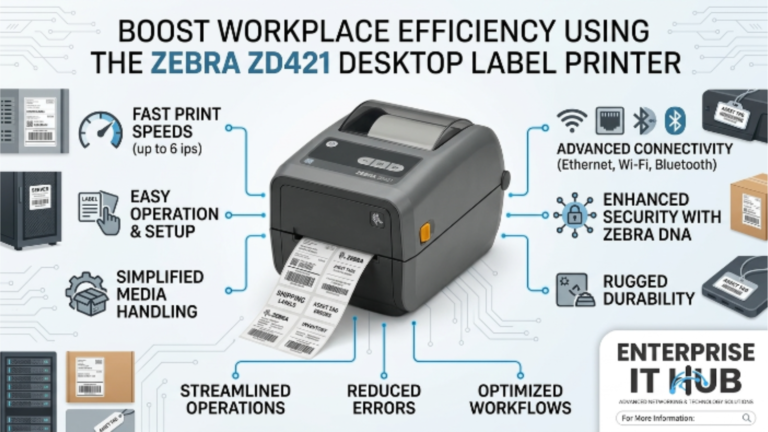
Zebra ZD421 Direct Thermal USB Label Printer — $462.00 The ZD421 offers a wider 4″ print path, making it the right call for full-width shipping labels, healthcare wristbands, and retail tags that need more horizontal real estate. It runs ZPL II natively, loads media in seconds, and fits cleanly on any desktop. If your labels are wider than 2″, this is your printer.
Zebra GK420t Thermal Transfer Desktop Printer — $352.00 The GK420t is the workhorse of the Zebra lineup. USB plus Ethernet, 203 DPI, 5 IPS, and support for both thermal transfer and direct thermal printing makes it the most versatile option in the range. Need to print on non-thermal stock or synthetic labels that require ribbon? The GK420t handles it — the ZD411 doesn’t. For warehouses printing on polyester or polypropylene labels for outdoor or chemical-resistant applications, the GK420t’s thermal transfer capability is essential.
Both printers support ZPL/EPL for seamless integration into existing print workflows.
How to Choose the Right Zebra Printer for Your Operation
Not every label printing environment is the same. Here’s a step-by-step buying framework:
- Identify your label width. If your labels are 2″ or under, the ZD411 is the compact fit. If you’re printing 4″ shipping or logistics labels, go wider (ZD421 or GK420t).
- Determine your media type. Direct thermal works on heat-sensitive label stock — ideal for indoor, short-duration labels. If labels need to survive heat, UV, or chemicals, thermal transfer (with ribbon) on the GK420t is required.
- Count your daily volume. Under 500 labels/day? Any Zebra desktop handles this. Over 1,000 labels/day on a single station? Prioritize print speed and duty cycle ratings.
- Map your connectivity requirements. USB-only works for single-station POS or desktop use. Ethernet or Wi-Fi is mandatory for networked print servers, shared printers on a warehouse floor, or remote management via Link-OS.
- Check your software stack. ZPL compatibility is standard across Zebra’s lineup. Confirm your WMS or shipping platform generates ZPL output, or plan for Zebra Designer as your label design layer.
- Plan for fleet management. If you’re deploying 5+ printers, Link-OS remote management (available on ZD411 and ZD421) saves significant IT time on firmware updates and configuration management.
- Verify compliance requirements. Healthcare (HL7, GS1, UDI), food safety (FSMA), and hazmat (GHS/HazCom) labeling all have specific format and readability requirements. Confirm 203 DPI meets your scan distance and barcode density spec before ordering.
For an independent benchmark of Zebra’s label printer lineup, Tom’s Guide business printer reviews (opens in new tab) offer solid third-party validation.
✅ Quick Reference Checklist
Use this before finalizing your Zebra desktop printer purchase:
PRE-PURCHASE CHECKLIST — ZEBRA ZD411 & DESKTOP LABEL PRINTERS
──────────────────────────────────────────────────────────────

LABEL & MEDIA
[ ] Confirmed label width fits ZD411 print path (max 2.20")
[ ] Media type is direct thermal (no ribbon needed)
[ ] Label length is within ZD411 max (39")
[ ] Label stock is compatible with ZD411 media specs

CONNECTIVITY
[ ] Identified connection method: USB / Ethernet / Wi-Fi / BT
[ ] Network port or USB port available at deployment location
[ ] IP addressing plan completed (for Ethernet/Wi-Fi units)

SOFTWARE & INTEGRATION
[ ] WMS / shipping platform confirmed as ZPL-compatible
[ ] Zebra Setup Utilities downloaded and tested
[ ] Label templates designed or migrated to ZPL format
[ ] Driver installed on host system (Windows/Mac/Linux)

COMPLIANCE & ENVIRONMENT
[ ] DPI requirement confirmed (203 DPI for standard barcodes)
[ ] Operating temperature range acceptable (32°F–104°F)
[ ] Compliance label spec reviewed (healthcare/logistics/food)

DEPLOYMENT
[ ] Print darkness and speed calibrated to label stock
[ ] Auto-calibration test label passed
[ ] Spare media rolls on-hand for initial deployment
[ ] IT team briefed on Link-OS remote management access
Frequently Asked Questions
Q: What’s the difference between 203 DPI and 300 DPI on the Zebra ZD411?
A: 203 DPI is the standard for most barcode and shipping label applications. It delivers sharp, scannable barcodes at maximum print speed. 300 DPI is needed for very small text, high-density 2D barcodes (like tiny QR codes on jewelry tags), or fine-detail graphics. For standard warehousing, healthcare, and retail labels, the Zebra ZD411 203 DPI is the correct choice — and it’s faster and cheaper per label than the 300 DPI variant.
Q: Can the Zebra ZD411 print on thermal transfer media?
A: No. The ZD411 is a direct thermal-only printer. It uses heat-sensitive label stock without a ribbon. If you need to print on polyester, polypropylene, or other synthetic substrates that require a ribbon for transfer, the Zebra GK420t supports both direct thermal and thermal transfer printing.
Q: Is the ZD411 compatible with Zebra Designer and Link-OS?
A: Yes. The ZD411 is fully compatible with Zebra Designer Pro for label design and Link-OS for remote fleet management. This makes it straightforward to manage in multi-printer deployments — update firmware, push configurations, and monitor printer health from a central dashboard.
Q: What label types can the ZD411 print?
A: The ZD411 handles shipping labels, barcode labels, patient wristbands (with appropriate media), pharmacy labels, price tags, asset tags, and compliance labels. For any label up to 2.20″ wide on heat-sensitive stock, the ZD411 is a capable, reliable solution.
Q: How long does it take to set up a ZD411 from unboxing?
A: For an IT technician familiar with Zebra hardware, under 10 minutes including driver installation and test print. For first-time Zebra users, budget 20-30 minutes including Zebra Setup Utilities installation and label calibration.
Conclusion
The Zebra ZD411 203 DPI printer is purpose-built for one thing: reliable, high-speed direct thermal label printing in demanding environments. The compact form factor, Link-OS fleet management, ZPL native support, and 6 IPS print speed make it one of the most practical compact label printers in the enterprise space.
If you’re deploying in a warehouse, healthcare setting, or high-volume retail operation and your labels are 2″ or under, the ZD411 is the right call. For wider label formats or thermal transfer requirements, the Zebra ZD421 ($462.00) and Zebra GK420t ($352.00) — both available at enterpriseithub.com — cover those workloads with the same Zebra reliability.
Don’t let a printer bottleneck an operation that runs on throughput. Choose the right Zebra desktop printer, deploy it correctly, and it’ll run without drama for years.